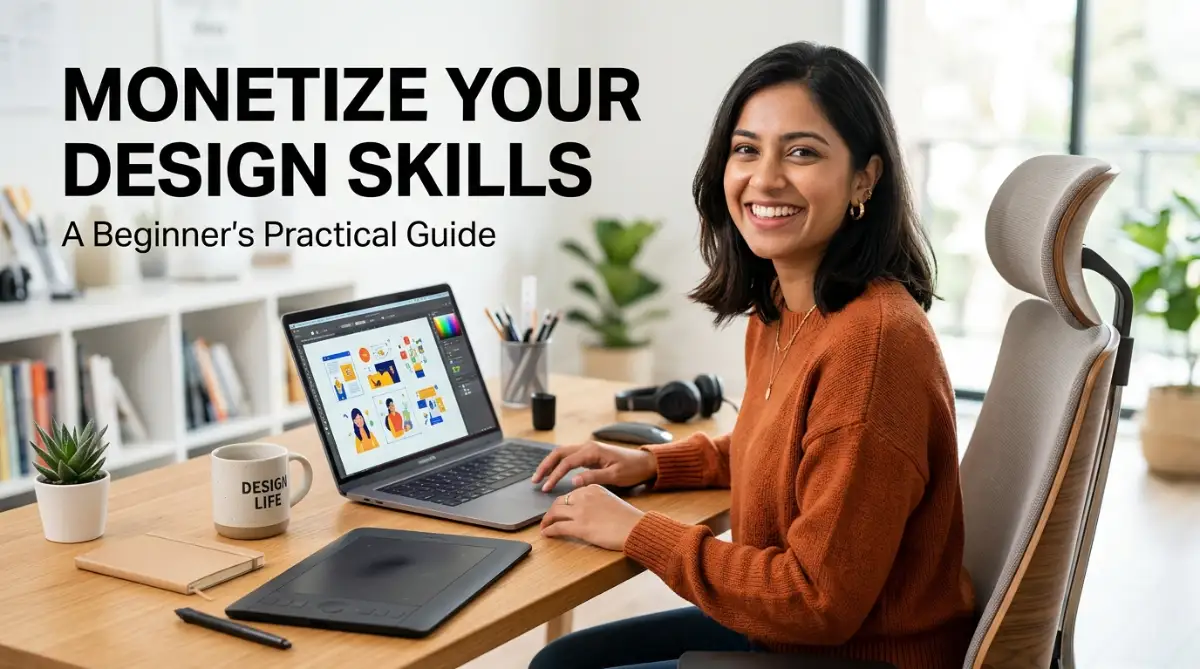
SIMPLE WAYS TO MONETIZE YOUR GRAPHIC DESIGN SKILLS AS A BEGINNER
A few years ago, I was sitting at my desk with zero dollars in my bank account and a copy of Photoshop I barely knew how to use. I felt completely lost watching other designers share their massive portfolio sites, thinking I could never compete with them. But I quickly realized you don't need a fancy degree or twenty years of experience to make your first dollar online.
Entering the world of graphic design is an exciting milestone. You have learned how to pair typography, balance colors, and structure layouts. However, as a beginner, the transition from practicing design to earning an income from it can feel intimidating. The misconception that you need years of high-end studio experience to start making money often holds talented beginners back.
The digital economy has created an environment where visual content is constantly in high demand. Businesses, content creators, and educators require continuous streams of visual assets. By identifying the right avenues, you can begin to monetize graphic design skills as a beginner, building your confidence, experience, and bank account simultaneously.
Below is a practical, step-by-step roadmap to turning your foundational design skills into a sustainable source of income.
THE CRITICAL STARTING POINT: BUILD A LEAN, PURPOSE-DRIVEN PORTFOLIO
Before reaching out to clients or listing digital products, you need a way to prove what you can do. A common mistake beginners make is waiting for client work before building a portfolio. Instead, you should create speculative (concept) projects.
How to construct a beginner portfolio:
- Select three niches: Choose areas of high demand, such as social media graphics, local business branding, or presentation design.
- Create concept briefs: Imagine a local bakery, a fitness coach, or a tech podcast. Design a cohesive set of assets for each of them.
- Present the "Why": Do not just upload final images. Write a brief paragraph for each project explaining the problem you aimed to solve and why you chose specific colors, layouts, or fonts. This shows potential clients that you think strategically.
- Host it for free: Use platforms like Behance, Dribbble, or even a simple, clean Google Drive folder to share your work professionally.
Once your foundational portfolio is ready, you can confidently pursue the monetization pathways outlined below.
PATHWAY 1: CREATE AND SELL DIGITAL TEMPLATES (PASSIVE INCOME)
One of the most scalable ways to monetize your graphic design skills as a beginner is by creating and selling digital templates. Unlike client work, which requires constant communication and revisions, templates are designed once and sold repeatedly.
Why templates work for beginners:
Many small business owners and content creators do not have the budget to hire a dedicated designer, but they are willing to pay a modest fee for a professional, customizable template.
Top template categories in high demand:
- Social Media Carousels and Posts: Bundles of Instagram, LinkedIn, or Pinterest templates designed for specific industries (e.g., real estate agents, business coaches, aesthetic clinics).
- Presentation Decks: Slide layouts for webinars, pitch decks, or online courses built in PowerPoint, Keynote, or Canva.
- Resumes and Cover Letters: Clean, professional, and easy-to-edit resume layouts for job seekers.
- Notion Layouts and Planners: Aesthetic headers, covers, and printable organization sheets.
Want to see exactly how to create and sell these templates step-by-step? Watch this quick video to see the entire process in action before reading about where to list them below!
Where to sell your templates:
- Etsy: A massive marketplace with an active audience looking for ready-to-use digital files.
- Creative Market: A dedicated platform for design assets, ideal once you have refined your craft slightly.
- Gumroad: A simple, fee-friendly platform where you can host your digital products and share the link on your social media channels.
PATHWAY 2: OFFER MICRO-SERVICES ON FREELANCE PLATFORMS
Stepping into massive freelance platforms can feel overwhelming when competing against seasoned veterans. The secret to success as a beginner is to avoid offering general "graphic design" services. Instead, specialize in micro-services—highly specific, low-friction tasks that clients need completed quickly.
Examples of high-demand micro-services:
- YouTube Thumbnails: Content creators need eye-catching, high-contrast thumbnails to improve their click-through rates. This is a skill you can master relatively quickly.
- Podcast Cover Art: New podcasts launch daily, and every show needs clean, compliant cover art for Apple Podcasts and Spotify.
- Remove Image Backgrounds & Vectorization: Many e-commerce sellers need simple product photo cleaning or need low-resolution logos traced into crisp vector formats.
- Email Signatures and Letterheads: Small businesses require standardized, professional email footers.
When I first started on freelance sites, I made the mistake of trying to do everything for everyone and ended up exhausted. My big turning point came when I stopped offering general design services and focused only on making YouTube thumbnails. Once I made that tiny shift, clients started reaching out to me because I was a specialist, not just another beginner.
Tips for optimization on Fiverr and Upwork:
- Be highly specific: Instead of "I will design a graphic," use "I will design 3 high-converting YouTube thumbnails for finance channels."
- Provide rapid communication: Beginners can stand out instantly by responding to inquiries within minutes and offering polite, professional communication.
- Focus on reviews: Set your initial prices modestly to secure your first few five-star reviews, then gradually increase your rates as demand grows.
PATHWAY 3: TAP INTO PRINT-ON-DEMAND (POD)
If you enjoy creating illustrations, typography art, or quirky patterns, print-on-demand is an excellent, low-risk monetization model. With POD, you upload your designs to a platform, and they handle printing, shipping, and customer service. You earn a royalty fee for every sale.
How to succeed in POD as a beginner:
The key to print-on-demand is not just artistic talent; it is trend awareness and niche targeting. A generic flower design will likely get lost among millions of uploads. However, a specific design dedicated to a niche hobby (e.g., "typography for vintage book collectors" or "humorous illustrations for mechanical engineers") has a much higher chance of being discovered.
Popular POD platforms:
- Redbubble: Excellent for stickers, t-shirts, and phone cases. Highly beginner-friendly with built-in traffic.
- TeePublic: Great for simple graphic tees and apparel.
- Merch by Amazon: Highly competitive but offers access to the world's largest e-commerce audience.
Design tips for POD:
- Keep background transparency in mind: Ensure your files are exported as high-resolution PNGs with transparent backgrounds so they look seamless on dark or light products.
- Use text-based designs: You do not need complex hand-drawn illustrations. Simple, clean typography designs often sell exceptionally well if the message resonates with a specific audience.
PATHWAY 4: LOCAL SMALL BUSINESS OUTREACH
Many beginners overlook the physical businesses in their own neighborhoods. Local bakeries, boutiques, landscaping companies, real estate agents, and coffee shops often have outdated menus, poorly designed flyers, or inconsistent social media feeds.
Because these business owners are often busy running their daily operations, they rarely search for designers online. A friendly, professional local approach can secure you consistent, hands-on design work.
How to approach local businesses:
- Spot a clear gap: Take a look at a local business's social media page or website. Find something that can be easily improved, such as an unreadable menu or a poorly formatted flyer.
- Create a speculative design: Redesign a single piece of their collateral for free, without them asking.
- Reach out politely: Send a warm message or walk in during a quiet hour. Show them the original version alongside your redesigned version.
- Pitch your value: Say something like, "I noticed your Instagram posts are highly informative, but the text can sometimes be hard to read on mobile. I designed these three clean templates to help your posts stand out and attract more local customers. If you like this style, I can help you create a month’s worth of cohesive social media posts for a flat rate."
This direct approach removes friction, demonstrates your proactive nature, and often leads to ongoing retainer work.
PRACTICAL SKILLS VALUED BY CLIENTS
To maximize your earning potential, focus on developing soft skills alongside your technical design abilities. Clients do not just pay for pretty visuals; they pay for a smooth professional experience.
Valuable practices to adopt:
- Understand formatting: Always deliver files in the correct format (e.g., high-resolution PDFs for print, optimized PNGs for web, and fully organized source files when requested).
- Respect deadlines: Delivering work ahead of schedule builds trust and encourages repeat business.
- Learn basic copyright rules: Never use copyrighted images, fonts, or vectors in client work. Utilize reputable, royalty-free resources like Unsplash, Pexels, or Google Fonts, and always verify commercial-use licenses.
A SIMPLE STEP-BY-STEP SUMMARY TABLE FOR BEGINNERS
The table below outlines a straightforward comparison of the pathways mentioned above, helping you decide where to focus your initial efforts based on your available time and specific design interests.
Monetization MethodEffort Level to StartBest Suited ForKey Platform ExamplesPotential Income TypeDigital TemplatesMediumDesigners who love organization and layoutsEtsy, Gumroad, CanvaPassive (Built once, sold repeatedly)Micro-ServicesHighFast learners who enjoy direct communicationFiverr, UpworkActive (Payment per completed project)Print-on-DemandLow to MediumIllustrators and typography creatorsRedbubble, TeePublicPassive (Earn royalties per sale)Local OutreachHighRelationship builders and community-oriented designersDirect email, Local visitsActive (Often leads to recurring retainer contracts)
FINAL THOUGHTS
Monetizing your graphic design skills as a beginner is entirely achievable if you break the process down into manageable, actionable steps. Start by building a simple concept portfolio to showcase your potential. Next, select one or two monetization pathways that align with your current interests—whether that is selling digital templates for passive income, offering micro-services on freelance platforms, or helping a local business in your community.
By staying consistent, communicating professionally, and continuously learning, you will gradually transform your beginner design skills into a rewarding, reliable income stream.

Elevating Your Income: High-Value Design Methods for Growing Creators
As you gain confidence with basic side hustles, the next step is to transition from simple task-based gigs to high-value design systems. This shift is crucial for maximizing your earning potential and building a sustainable creative business. Instead of trading hours for low-cost assets, you can position yourself as a strategic partner who helps brands look cohesive, professional, and trustworthy.
The following methods represent advanced, highly structured approaches that allow beginner designers to command higher rates while maintaining a steady workflow.
Transitioning from One-Off Graphics to Comprehensive Brand Identity Kits
Many beginners make the mistake of selling single logos. A logo in isolation rarely solves a business owner's problem. Instead, focus on selling complete "Brand Identity Kits." By bundling cohesive visual assets together, you multiply the value you deliver to the client.
A standard Brand Identity Kit for a startup or local business should include:
- A Primary and Secondary Logo: Optimized for different placements, such as website headers and square social media profiles.
- A Defined Color Palette: Curated color schemes with exact HEX, RGB, and CMYK codes for both digital and print applications.
- Typography Guidelines: Hand-selected font pairings for headings, subheadings, and body text that the client can use across their branding.
- Social Media Headers: Custom-sized banner graphics for platforms like LinkedIn, Facebook, and YouTube.
- A One-Page Style Guide: A clean, easy-to-read reference document that explains exactly how and where to use each design element.
To streamline this process, you can adopt modern productivity strategies. For instance, incorporating systematic organization into your business, similar to the structures used in a virtual assistant career guide, will help you manage files, schedule client check-ins, and deliver assets on time. This structural discipline is what elevates a casual designer into a professional brand partner.
Cultivating Long-Term Retainer Contracts with Content Creators
The most sustainable way to secure reliable monthly income is through design retainers. Under a retainer agreement, a client pays you a set monthly fee to deliver a predetermined number of design assets. Content creators, digital marketers, and growing businesses are perfect candidates for this model because their visual content needs never end.
Consider this real-world scenario: An active LinkedIn creator or podcast host needs to publish visual carousels, quotation graphics, and slide decks multiple times a week. Managing this manually is time-consuming for them.
How to package a beginner retainer service:
- The Content Bundle: Offer a package of 12 custom-designed social media graphics and 3 template headers per month.
- The Dedicated Workflow: Agree on a structured delivery schedule (e.g., sending draft designs every Friday for the upcoming week's content).
- A Fixed Monthly Rate: Charge a flat fee that is slightly discounted compared to your one-off project rates, giving the client an incentive to commit long-term.
When drafting pitches to secure these contracts, clear communication is essential. Mastering written outreach is incredibly helpful here; you can learn how to compose high-converting, professional proposals by reading our guide on how to start freelance writing with no experience. Combining persuasive copy with your visual portfolio makes your outreach highly compelling.
Packaging Visual Audits as a Premium Up-Sell
If you want to build immediate trust with prospective clients, offer a "Visual Brand Audit." This is a consulting service where you analyze a client’s current public-facing graphics and provide constructive, professional feedback on how they can improve their presentation.
A standard visual audit workflow looks like this:
- Analyze Consistency: Review the client's website, email newsletter, and social media channels. Check if they are using consistent fonts, colors, and design styles.
- Evaluate Readability and Hierarchy: Identify any text elements that are hard to read on mobile devices or layouts that lack clear focal points.
- Provide Actionable Redesigns: Create a "before and after" mockup of one of their existing graphics to show them exactly how a professional design update can make their content look cleaner and more engaging.
To speed up your research and copy-generation phases during an audit, you can utilize modern artificial intelligence tools. By using smart AI prompt engineering, you can quickly generate objective design feedback outlines, organize your analysis notes, and craft polished recommendations for your clients. This efficient approach allows you to spend less time formatting documents and more time focusing on creative execution.

Crucial Design and Business Pitfalls That Limit Your Income Potential
Even the most talented beginners can struggle to monetize their work if they fall into common operational and artistic traps. Understanding why these mistakes happen and how to proactively avoid them will save you valuable time, protect your professional reputation, and ensure your clients remain highly satisfied.
1. Using Non-Commercial Assets Without Proper Licensing
- Why it happens: Beginners often download eye-catching fonts, illustrations, or stock photos from search engines or public databases without checking the fine print of the license.
- Negative results: Your client could face legal issues or copyright takedown notices if they use your design commercially. This can ruin your credibility and result in financial penalties.
- How to avoid it: Always source your elements from dedicated, royalty-free libraries that explicitly grant commercial usage rights. If you use free fonts, verify that they are cleared for commercial use. When in doubt, utilize highly accessible and open-licensed libraries like Google Fonts.
2. Failing to Define Project Scope (Allowing Scope Creep)
- Why it happens: Out of a desire to please their first clients, beginners often agree to unlimited revisions, extra graphics, or sudden design changes without adjusting their initial price.
- Negative results: A project that should have taken three hours stretches into three weeks of unpaid labor, leading to frustration, burnout, and a very low hourly earning rate.
- How to avoid it: Before starting any project, put your agreement in writing. Outline exactly what is included (e.g., "One brand logo, two color options, and up to two rounds of minor revisions"). Explicitly state that any additional revisions or extra assets will be subject to an hourly rate or a flat add-on fee.
3. Overlooking Visual Accessibility and Readability
- Why it happens: It is easy to get caught up in trendy aesthetics, such as using ultra-thin fonts, low-contrast color pairings, or crowded decorative patterns that look visually interesting but are highly impractical.
- Negative results: The design fails to perform its primary function—communicating a message. If target customers cannot read a client's post or flyer, the client will not see results from your work and will not hire you again.
- How to avoid it: Prioritize clarity over complex decoration. Refer to the international WCAG guidelines[1] to ensure that your text stands out clearly against its background. Always check your designs on a mobile screen to verify that the typography remains legible at smaller sizes.
4. Underpricing Your Services Due to Imposter Syndrome
- Why it happens: New designers often assume that because they do not have a formal design degree or decades of experience, they must charge the lowest rates possible to compete.
- Negative results: Charging too little can actually turn high-quality clients away, as they may associate low prices with low-quality work. Additionally, underpricing prevents you from dedicating the time necessary to deliver outstanding results.
- How to avoid it: Base your pricing on the value you deliver, not just your perceived experience level. According to data from the U.S. Bureau of Labor Statistics on graphic designers[2], professional design is a specialized skill with significant commercial value. Even as a beginner, your work should reflect fair, competitive rates that respect your creative effort and the commercial utility of the final product.
5. Delivering Messy, Unorganized Source Files
- Why it happens: When working quickly, designers often leave layers unnamed, shapes un-grouped, and file paths broken inside their design software.
- Negative results: If a client or another developer needs to edit your file in the future, they will waste time navigating a chaotic workspace. This leaves a highly unprofessional impression and prevents you from securing repeat business.
- How to avoid it: Develop clean file habits from day one. Group related elements, name your layers logically (e.g., "Background," "Body Text," "Primary Logo"), outline your fonts so they do not break on other systems, and organize your final folders before sending them to the client.
Your Path Forward in the Digital Economy
Monetizing your graphic design skills as a beginner is a journey that rewards consistency, clear communication, and structured learning over raw, innate talent. You do not need to master every advanced software tool or possess a massive studio background to start generating real income. By starting with speculative projects, mastering the business of micro-services, and slowly expanding into high-value retainer options, you can build a sustainable freelance path on your own terms.
To maximize your efficiency as a growing designer, it is highly recommended to adopt smart daily workflows. Learning how to integrate automated organization and AI productivity tips into your schedule will help you handle administrative tasks, draft emails, and structure your client projects with absolute ease. This balance of creative mastery and structural organization is what sets successful designers apart.
Focus on helping clients solve their commercial problems through clear, intentional visual assets. Keep your designs legible, respect your project boundaries, and deliver clean, organized files every single time. With these foundational principles in place, you are ready to secure your first design clients and build a rewarding creative career.
Looking back, the hardest part of my design journey was just taking that first step and sharing my work. You might feel like you aren't ready yet, but trust me, your skills are already helpful to someone who does not have the time to design. Pick one method from this list today, make your first draft, and see where it takes you.
Disclaimer
This article is provided for educational and informational purposes only. The strategies, platforms, and techniques discussed regarding monetizing graphic design skills do not constitute professional career, business, or financial advice. Because individual success is heavily dependent on personal effort, market conditions, and evolving skill levels, we make no guarantees regarding potential income, profitability, or business outcomes.
While we strive to deliver reliable and practical content, we make no representations or warranties concerning the accuracy, completeness, reliability, or timeliness of the information presented. Platform policies, licensing requirements, and digital marketplace algorithms frequently change over time without prior notice.
Readers are strongly encouraged to consult qualified professional advisors, such as business consultants or certified financial professionals, before making major decisions. Any action you take based on the information in this article is strictly at your own discretion and risk.
Under no circumstances will the website, author, or publisher be held responsible for any direct, indirect, or consequential loss, damage, or negative consequences arising from the use of this content. Furthermore, external links are provided solely for user convenience and do not imply endorsement, and some may be affiliate links through which we earn commissions at no additional cost to you.