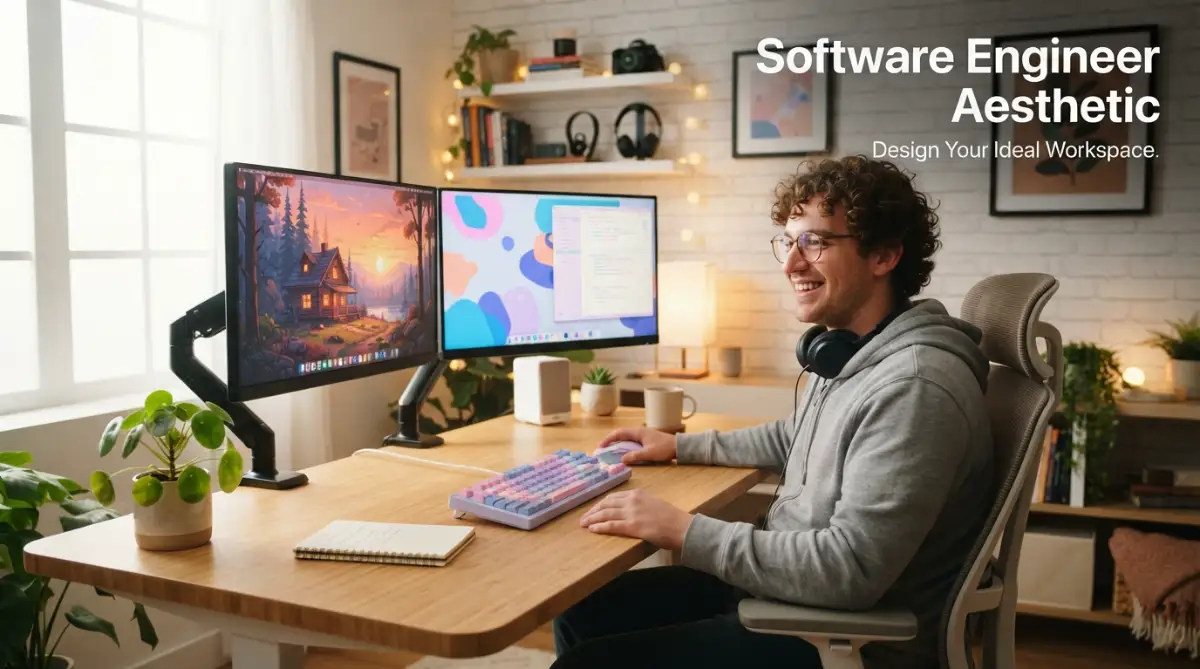
Why Your Coding Environment is Quietly Draining Your Focus
I remember sitting at my desk late one Tuesday evening with a massive headache. My eyes were burning, my neck was stiff, and my desk was a complete disaster area. There were empty coffee cups scattered everywhere, tangled USB cords crawling across my desk like plastic snakes, and my desktop wallpaper was a default bright blue screen that felt like staring directly into the sun. I realized at that exact moment that my messy, uninspired workspace was making me feel incredibly tired and stressed. It was not just about having a messy room; my physical desk was actively destroying my mental clarity and my love for writing code.
Many developers face this exact same problem every single day without even realizing it. We spend eight to twelve hours a day staring at screens, sitting in the same chair, and breathing the same air. When your workspace is chaotic and lacks personal style, your brain has to work much harder just to stay on task. A cluttered desk leads to a cluttered mind, which quickly turns into coding fatigue, constant distraction, and physical burnout.
The emotional toll of a bad setup is very real. You wake up feeling unmotivated to start your workday because your office feels like a cold, gray cubicle. You sit down to solve a complex bug, but the messy pile of papers next to your keyboard keeps pulling your attention away. Over time, this lack of harmony ruins your relationship with your work and leaves you feeling completely exhausted by afternoon. Designing a space that looks beautiful and feels cozy is not a waste of time; it is a necessary step to protect your mental health and enjoy your daily life.
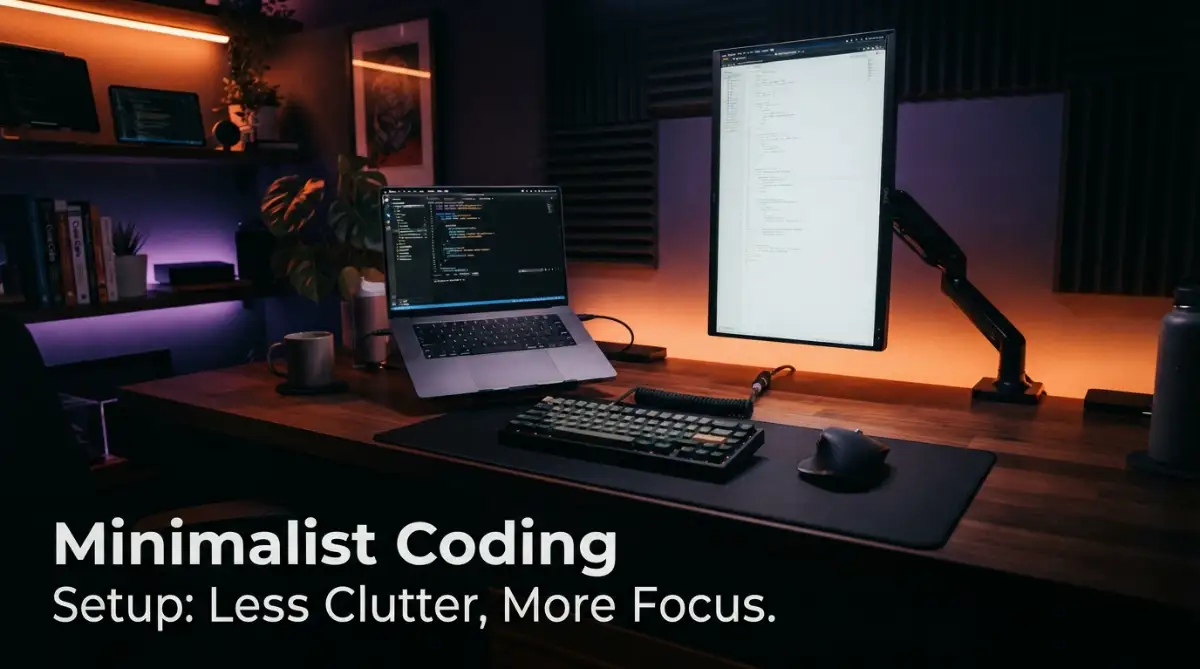
Designing Your Digital Space: The Art of Screens and Wallpapers
Your digital screen is the window you stare into for hours at a time, so it deserves to look amazing. Choosing the right wallpaper is the easiest way to start building your aesthetic environment. Many programmers prefer minimalist art, low-poly designs, or dark synthwave graphics that do not distract the eyes. You can also match your desktop wallpaper with your code editor color theme to create a seamless visual flow.
When you choose a wallpaper, try to pick images that have low contrast in the areas where you place your desktop folders. This keeps your screen looking clean and prevents visual clutter from distracting your eyes. Soft green colors, deep blues, and dark grays are highly recommended because they help your brain stay relaxed and focused.
Matching Your Code Editor Themes
A truly beautiful digital workspace is one where everything works together in perfect harmony. If you are using a dark, neon synthwave wallpaper, your code editor should use a matching theme like VS Code Dracula or SynthWave. If you prefer a clean, natural wooden desk, a softer theme like Gruvbox or Solarized Light might feel much better. Matching your colors creates a sense of order that makes entering your flow state feel completely effortless.
Organizing Desktop Icons and Widgets
Having fifty random files scattered across your desktop is the digital version of a messy room. Try hiding all your desktop icons completely to enjoy your beautiful wallpaper. You can use simple search tools to find your files instead of keeping them on your desktop. If you want some functional style, you can add small desktop widgets that show the current time, a simple calendar, or a short motivational quote.
Crafting Your Physical Desk Setup
Once your digital screen looks clean, it is time to focus on your physical desk. Your desk is the foundation of your entire workspace, so choose a material that feels good to touch. A solid wood desk brings warmth and a natural feel to your room, while a white matte desk offers a modern, clean look.
A large felt or leather desk mat is another fantastic addition that immediately ties your setup together. A desk mat defines your working area, keeps your keyboard from sliding around, and feels incredibly soft under your hands. It also dampens the sound of your typing, making your workspace feel much quieter and more professional.
The Power of Ambient Lighting
Lighting can completely change how your workspace feels, especially during evening hours. Avoid using harsh overhead lights that cast deep shadows and cause eye strain. Instead, try placing a monitor light bar on top of your screen to illuminate your desk surface without causing screen glare.
You can also add a warm LED strip behind your desk to create a soft, calming glow against the wall. This indirect lighting makes your screen feel much easier on your eyes and gives your workspace a cozy, high-tech atmosphere. Using warm yellow or soft orange light tones instead of bright white or blue can help you wind down and prepare for sleep after a long day of work.
Adding Natural Elements to Your Desk
Bringing a little bit of nature onto your desk can do wonders for your daily mood. A small, low-maintenance plant like a succulent, a pothos, or a snake plant adds a splash of vibrant green color to your setup. Plants clean the air around you and make your desk feel alive and welcoming. If you do not have much natural sunlight in your room, you can use high-quality fake plants to get the exact same aesthetic feel without any of the watering worries.
Optimizing Ergonomics for Daily Comfort
A beautiful desk is completely useless if it leaves you with back pain and sore wrists at the end of the day. Ergonomics is the science of designing your workspace to fit your physical body. Your monitor should always sit directly at eye level so you do not have to tilt your head down to read your code.
Watch this incredibly helpful workspace setup guide to learn how to arrange your desk perfectly to prevent back pain and neck strain.
Using a simple monitor arm allows you to adjust the height and angle of your screen easily throughout the day. Your keyboard and mouse should be positioned so that your elbows can rest comfortably at a ninety-degree angle. Investing in a high-quality ergonomic chair with good lower back support is one of the best decisions you can make for your long-term health.
Ergonomic Keyboard and Mouse Choices
Standard keyboards can force your wrists to bend at unnatural angles, which often leads to pain over time. Many developers switch to split mechanical keyboards that let their hands rest in a much more natural, shoulder-width position.
A vertical mouse is another great tool that keeps your wrist in a neutral "handshake" position instead of flat against the desk. These tools might look a little strange at first, but they can save you from serious joint issues down the road.
Selecting Your Aesthetic Desk Accessories
The small items you keep on your desk play a huge role in creating your unique aesthetic. A high-quality mechanical keyboard is often the centerpiece of any great developer setup. You can customize your keyboard with different colored keycaps, custom coiled cables, and switches that make a satisfying sound when you type.
Organizing Your Tech Cables
Nothing ruins a beautiful desk faster than a giant mess of tangled power cables. You can easily clean up your workspace by using simple cable management tools under your desk. Use cheap adhesive cable clips to keep your charging cords from falling behind your desk when you unplug them.
You can also mount a sturdy metal cable management tray under your desk to hide your power strips and thick power bricks completely out of sight. Keeping your cables organized makes your desk look incredibly clean and makes it much easier to wipe away dust.
Minimalist Desktop Organizers
Instead of letting pens, sticky notes, and thumb drives float around your desk, use a small desk organizer tray. Wooden or felt trays look beautiful and give every single item a designated home.
When you finish your work for the day, spend just two minutes putting your things back in their trays. This simple habit ensures that you always wake up to a clean, stress-free workspace the next morning.
Developer Life: Building Healthy Routines
Your physical environment is only half of the story; your daily routines and habits are what truly define your developer life. How you start your morning sets the tone for your entire workday. Try to avoid checking your email or reading Slack messages the very second you open your eyes.
Instead, give yourself thirty minutes to enjoy a warm cup of coffee or matcha tea away from your screens. Use this quiet time to write down your top three goals for the day in a physical paper notebook. This simple ritual helps you start your day with intention and keeps you from feeling instantly overwhelmed by incoming work requests.
Taking Structured Rest Breaks
It is very easy to lose track of time when you are deep in a coding session, but sitting for hours without moving is terrible for your body and mind. Try using the Pomodoro technique to structure your workday into focused intervals. Work for twenty-five minutes, and then take a short five-minute break to stand up, stretch your legs, and drink some water.
During these short breaks, look out a window at a distant object to give your eye muscles a chance to relax. Taking regular breaks actually makes you more productive because it keeps your brain fresh and prevents afternoon brain fog.
Creating an Evening Shutdown Ritual
When you work from home, the boundary between your job and your personal life can quickly become very blurry. Creating a simple evening shutdown ritual is a great way to tell your brain that the workday is officially over.
Close all your open browser tabs, tidy up your desk surface, and put your keyboard away. Turn off your desk lights and walk away from your workspace to spend quality time with your family or enjoy your hobbies. This mental boundary is essential for preventing burnout and keeping your passion for coding alive.
Myth vs Reality: The Perfect Developer Desk
There are many misconceptions about what a great developer workspace should look like, mostly driven by social media. Let us look at the truth behind these common myths to help you build a space that actually works for you.
- Myth: You must spend thousands of dollars on expensive designer furniture to have a beautiful desk.
- Reality: Cleanliness, good lighting, and simple organization are completely free and make a much bigger difference than expensive brand names.
- Myth: True minimalists must have absolutely nothing on their desks except a laptop.
- Reality: Your desk needs to be functional; it is perfectly fine to have books, notebooks, and tools nearby as long as they are organized.
- Myth: A beautiful workspace will instantly make you a world-class programmer.
- Reality: A great setup simply reduces daily stress and friction, allowing you to focus your energy on learning and writing great code.
Simple Habits to Keep Your Space Fresh
Building a beautiful workspace is not a one-time project; it is a continuous process of taking care of your environment. Over time, dust will settle on your monitors, and random items will start to pile up on your desk again.
Make it a habit to wipe down your screens and clean your keyboard once every single week. This simple cleaning routine keeps your workspace looking brand new and extends the life of your favorite tech gear.
Decluttering Your Workspace Regularly
Once a month, take a close look at everything sitting on your desk and ask yourself if you actually use it. If an item does not help you do your work or bring you joy, find a new home for it inside a drawer or closet. Keeping only the essentials on your desk surface makes your workspace feel light, airy, and incredibly peaceful to work in.
Changing Your Visual Theme with the Seasons
If you start to feel bored with your workspace, you do not need to buy new furniture to change the vibe. Simply changing your desktop wallpaper, your code editor theme, and the color of your desk lights can make your entire setup feel brand new.
You can use warm orange tones in autumn, bright pastel colors in spring, and cool blue tones in winter to keep your working environment feeling fresh, exciting, and inspiring all year long.
Modernizing Your Desktop Environment: Pro Tips for Long-Term Workspace Harmony
Building a truly beautiful coding space goes far beyond simply buying a nice desk or putting up a pretty picture. To create an environment that actually helps you work better, you need to think about how your digital tools and physical items work together over time. A great workspace is like a well-structured software program where every single part has a clear purpose and works without causing friction.
By taking a system-level approach to your setup, you can build a quiet workspace that keeps you feeling calm and creative even during intense deadlines. This means looking at how your computer screen layout, your desk lighting, and your physical movements interact throughout the day. When you design with intention, you turn your home office into a cozy sanctuary that supports your long-term energy.
Curating a Dynamic Terminal and Code Editor Theme
Your terminal and text editor are the actual tools where you spend the vast majority of your working hours. Instead of using default themes that can feel boring, try taking time for finding fresh software inspiration to match your visual style. You can search for color palettes that use soft pastel shades or rich dark background tones to make reading complex lines of code much easier on your eyes.
code
Code
+------------------------------------------------------------------------+
|                      Terminal Design Components                       |
+------------------------------------------------------------------------+
|                                                                        |
|  [ Color Palette ] -------------> Soft pastels or rich dark grays       |
|                                                                        |
|  [ Custom Fonts ] --------------> Monospaced fonts with clear ligatures |
|                                                                        |
|  [ Clean Prompt ] --------------> Minimal prompt with zero extra text  |
|                                                                        |
+------------------------------------------------------------------------+
Using high-quality monospaced fonts with clean coding ligatures can also dramatically improve your typing speed and overall reading comfort. Fonts like Fira Code or JetBrains Mono combine beautiful curves with clear spacing that make special symbols look highly organized. When your terminal looks clean and matches your desktop wallpaper, writing code feels much more like an art form than a chore.
Custom Lighting and Smart Tech Integrations
To make your workspace feel truly premium, you can start using smart tech to automate your room environment throughout the day. For example, you can set up smart light bulbs that automatically change their color temperature based on the time of day. In the morning, these lights can shine with a cool, bright white to help you wake up and feel fully alert.
As the sun begins to set, the smart lights can slowly shift to a soft, warm amber glow that mimics natural candlelight. This gradual change helps your body prepare for restful sleep by reducing your exposure to blue light before bedtime. You can even pair these smart lights with your personal calendar so they glow in a soft red color when you are in a meeting, letting your family know not to knock on your door.
Creating a Dedicated Learning and Brainstorming Zone
When your main desk is only used for typing and writing code, it can sometimes feel difficult to step back and think about big-picture problems. If you have extra space in your room, try setting up a small secondary zone that is completely free of digital screens. This cozy corner can simply consist of a comfortable armchair, a warm floor lamp, and a physical white board or paper notepad.
code
Code
+-------------------------+-------------------------+
| Screen-Heavy Work Zone  | Screen-Free Thinking    |
+-------------------------+-------------------------+
| Writing complex code    | Sketching system ideas  |
| Responding to messages  | Reading tech books      |
| Dual monitor screens    | Notebooks and coffee    |
| High active energy      | Quiet reflective time   |
+-------------------------+-------------------------+
This screen-free zone is the perfect place for learning new tech skills or sketching out the initial architectural designs for your next software project. Walking away from your computer screens forces your brain to slow down, which often leads to much better solutions for difficult coding bugs. It also gives your eyes a needed break from digital glare while keeping you in a peaceful, creative frame of mind.
Streamlining Your Digital Organization
A beautiful physical desk loses its value if your actual operating system is a chaotic mess of unorganized files and old folders. Try setting up a simple weekly routine where you empty your download folder and archive old projects you no longer need. Use a clean application launcher like Raycast or Alfred to open your programs quickly without needing to click on cluttered desktop shortcuts.
When you are creating clear documentation or organizing your files, use clear and consistent naming conventions. This simple practice makes finding your work feel incredibly smooth and keeps your brain from feeling overwhelmed by digital clutter. A clean hard drive is just as important as a clean desk surface when it comes to maintaining your daily peace of mind.
Hidden Hazards: Common Setup Traps That Can Slow You Down
When trying to build a beautiful workspace, it is incredibly easy to fall into traps that actually harm your physical health and daily work speed. Many developers make the mistake of choosing style over actual comfort, buying beautiful wooden chairs that have zero back support. While a minimalist wooden chair might look amazing in a social media photograph, sitting in it for ten hours will leave you with terrible lower back pain.
Another frequent mistake is placing your monitors in positions that force your neck to bend at awkward, uncomfortable angles. This issue often happens when people rely solely on a laptop screen placed flat on their desk instead of using a proper monitor stand. Over time, staring downward at a screen can lead to severe neck tension, headaches, and a painful condition often called tech neck.
To prevent these physical problems, it is wise to follow professional OSHA workspace guidelines to set up your desk correctly. These official guides suggest keeping your keyboard close enough to your body so your upper arms can hang completely relaxed and natural. Making sure your feet rest flat on the floor or on a sturdy footrest is another small adjustment that can instantly take pressure off your lower spine.
The Danger of Ignoring Poor Room Lighting
Using beautiful ambient light strips is a fun way to decorate your room, but relying on them as your only light source can be a major issue. If your room is too dark while your monitors are extremely bright, your eyes have to constantly adjust to the massive contrast. This constant adjustment causes severe eye strain, blurry vision, and can make you feel incredibly tired long before your workday is actually over.
Always make sure you have enough gentle, indirect light in your room to balance out the brightness of your computer screens. You can place a simple floor lamp in a corner or open your window curtains to let in soft, natural daylight. If you want more detailed tips on arranging your chair, desk, and screens for maximum physical comfort, check out these trusted Mayo Clinic computer workstation tips to protect your joints.
Neglecting the Long-Term Costs of Poor Health
As a developer, your body and your mind are your most valuable working tools, and neglecting them can have serious long-term consequences. Getting injured from bad posture can force you to take weeks away from your computer, which can seriously affect your income and career growth. If you are a freelance developer or a remote worker, you might want to look into disability coverage to protect your finances in case of physical injury.
Investing a small amount of money in a proper ergonomic chair and a good monitor arm is much cheaper than paying for expensive physical therapy down the road. Treat your desk setup as a professional investment in your personal health and daily happiness. When you take care of your body, you ensure that you can continue doing the work you love for many years to come.
Your Clean Desk Action Plan: Small Changes for Big Focus
You do not need to spend thousands of dollars or spend an entire weekend rebuilding your room to enjoy a beautiful, aesthetic workspace. You can start making your environment feel much cleaner and more peaceful today by taking a few simple, actionable steps. Start by clearing absolutely everything off your desk surface except for your computer keyboard, your mouse, and your main screen.
Once your desk is empty, wipe away any dust with a damp cloth and carefully place back only the items you actually need to complete your daily work. Add one simple decorative item that makes you feel happy, such as a small green plant or a favorite coffee mug. This simple change takes less than fifteen minutes but can instantly make your workspace feel fresh, organized, and ready for deep focus.
To keep your workspace feeling amazing in the long run, try to spend just two minutes tidying up your desk at the end of every single workday. Put your pens back in their drawer, throw away any trash, and tuck your chair neatly under your desk. Coming back to a clean, beautiful desk the next morning is an incredible feeling that makes starting your work day feel completely effortless. Take a look at our TrustPicksHQ homepage for more honest reviews on the best tech gear to build your dream office.
For me, building a peaceful desk setup was the key that unlocked my daily energy and saved me from chronic back pain. I truly believe that taking care of your physical workspace is one of the most powerful ways to show respect for your mind, your health, and your craft. I highly encourage you to make just one small upgrade to your desk environment today, because your body and your mind deserve a comfortable place to create beautiful things.
Clear Answers: Your Workspace and Aesthetic Questions Solved
What is the most important item to invest in for a healthy desk setup?
The most important item is a highly adjustable ergonomic chair that offers strong lower back support. Your chair is the foundation of your posture, and investing in a good one will protect your spine from pain and fatigue over long working hours.
Can I create a beautiful workspace on a very limited budget?
Yes, you can easily build an amazing workspace without spending much money by focusing on cleanliness, organization, and lighting. Simply removing unnecessary clutter, organizing your tech cables with cheap ties, and placing a small green plant on your desk can completely change the feel of your room.
How do I choose the best color theme for my programming setup?
Choose a color theme that matches your personal working style and the natural light in your room. If you enjoy coding in the evening, dark themes with soft warm accent lights work beautifully, while bright natural wood and pastel colors are perfect for morning workers.
Is a standing desk actually worth the extra money for developers?
A standing desk is a fantastic investment because it allows you to easily change your physical position throughout the day, which improves your blood circulation and boosts your daily energy levels. However, you can get similar health benefits by simply taking regular short walking breaks away from a standard sitting desk.
Disclaimer
The information provided in this article is for educational and informational purposes only. While we share practical ergonomics advice, we are not medical professionals, and you should always consult with a doctor or physical therapist for personalized advice regarding chronic physical pain or joint injuries.