The Silent Panic of a Missing Transfer
How to Track Any Crypto Transaction on the Blockchain (Step-by-Step)
If your crypto transfer hasn’t shown up yet, take a breath: your money didn't just vanish into thin air. Because blockchains are completely public record systems, you don't have to guess or wait on hold with customer support to see what's happening. All you need is your transaction hash (TXID) and a free blockchain explorer to see the exact status, fee, and location of your funds in real time. In this straightforward guide, I’ll walk you through how to read an explorer receipt, verify your transfer, and easily dodge the costliest mistakes beginners make when moving coins.
You hit the send button. Your wallet balance drops instantly. You take a deep breath and wait for your friend or exchange to say, "I got it."
But five minutes pass. Then ten minutes. Nothing happens.
Your heart starts to beat a little faster. You refresh your wallet app, hoping for a magic update. The receiving party claims their balance is still zero. Panic sets in.
Did you copy the wrong address? Did your digital money just vanish into the internet? This silent anxiety is something almost every new digital asset holder experiences.
When traditional bank transfers are delayed, you can pick up the phone and call customer service. You can yell at a manager or open a support ticket. But in the world of decentralized finance, there is no customer service hotline.
You are your own bank. That level of absolute control is amazing, but it also means you carry the heavy weight of responsibility.
The truth is, your money rarely just vanishes. It is almost always sitting somewhere on a public, completely transparent digital ledger. You just need to know exactly where to look.

### 🔍 Key Takeaways: How to Track Your Crypto Instantly
* **Always Grab Your TXID:** Your transaction hash is your single indisputable proof of payment; paste it directly into an explorer to see real-time progress.
* **Match the Chain to the Tool:** Never paste an Ethereum hash into a Bitcoin site; always use the explorer built for the specific network you transferred on (e.g., Etherscan, Solscan, Mempool).
* **Confirmations Rule Exchanges:** If your explorer says "Success" but your exchange balance is empty, check the confirmation count; exchanges require multiple blocks before funds unlock.
* **Send a $5 Test Transfer First:** Avoid permanent address or network mistakes by routing a small test amount before moving your entire balance.
Mastering the Digital Ledger: A Beginner's Manual
You do not need a computer science degree to understand how digital money moves. You just need a simple shift in how you think about tracking money.
Let me show you exactly how to find your funds, step by step. We will break down the exact tools the experts use. By the end of this guide, you will never feel that stomach-dropping panic again.
Think of It Like a Transparent Post Office
Imagine a massive, glass-walled post office. Everyone can see the letters moving from one box to another. You can see the size of the packages and the exact time they were dropped off.
You cannot see the names of the people who own the boxes, only their box numbers. This is exactly how a public ledger works.
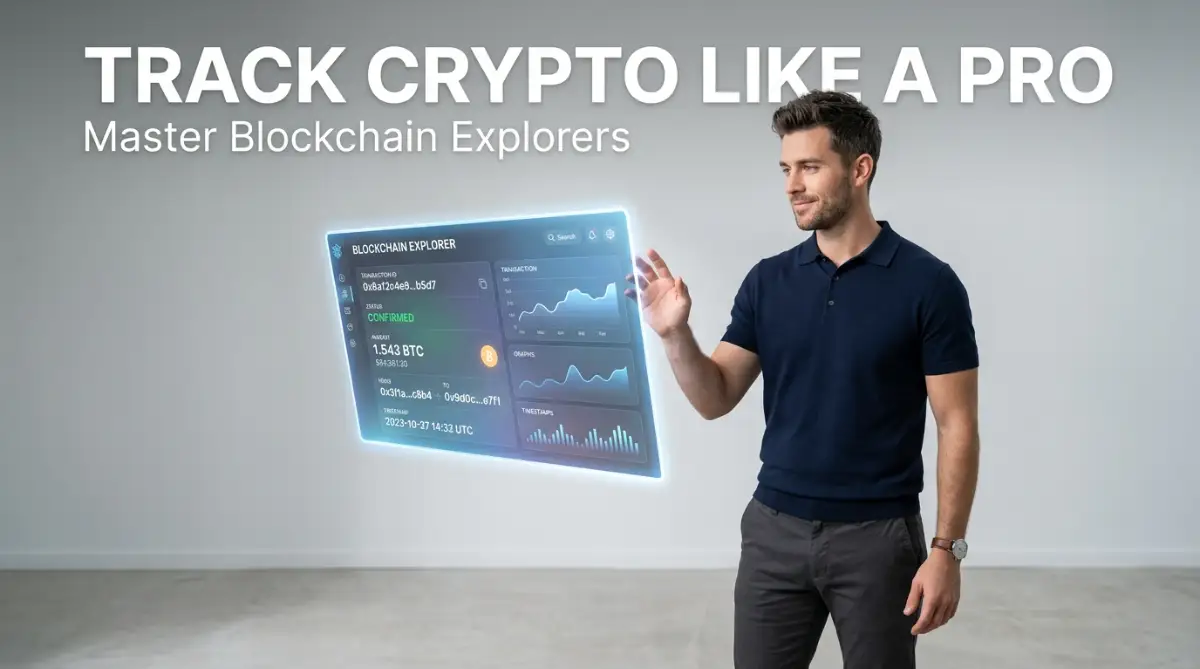
A blockchain explorer is simply the search engine for this glass post office. It allows you to type in a box number and see every single piece of mail that has ever gone in or out.
Instead of trusting a bank teller to tell you where your money is, you can check the math yourself. This absolute transparency is what makes the technology so powerful.
Finding Your Unique Tracking Number
Every time you send a package in the real world, you get a tracking number. In the digital money space, this is called a Transaction Hash, or TXID.
Your TXID is a long string of random letters and numbers. It is your ultimate proof of payment.
Whenever you send funds from a wallet or an exchange, they will provide you with this long code. Never lose your TXID.
If you ever need to prove that you sent money to someone, this hash is all you need. You simply copy this long code and paste it into the search bar of a blockchain explorer.
Decoding the Search Results Page
When you paste your TXID into an explorer like Etherscan or the Bitcoin Mempool, you will see a screen full of numbers. Do not let this intimidate you.
We only care about three or four specific pieces of information on this page. Let us look at the most important parts.
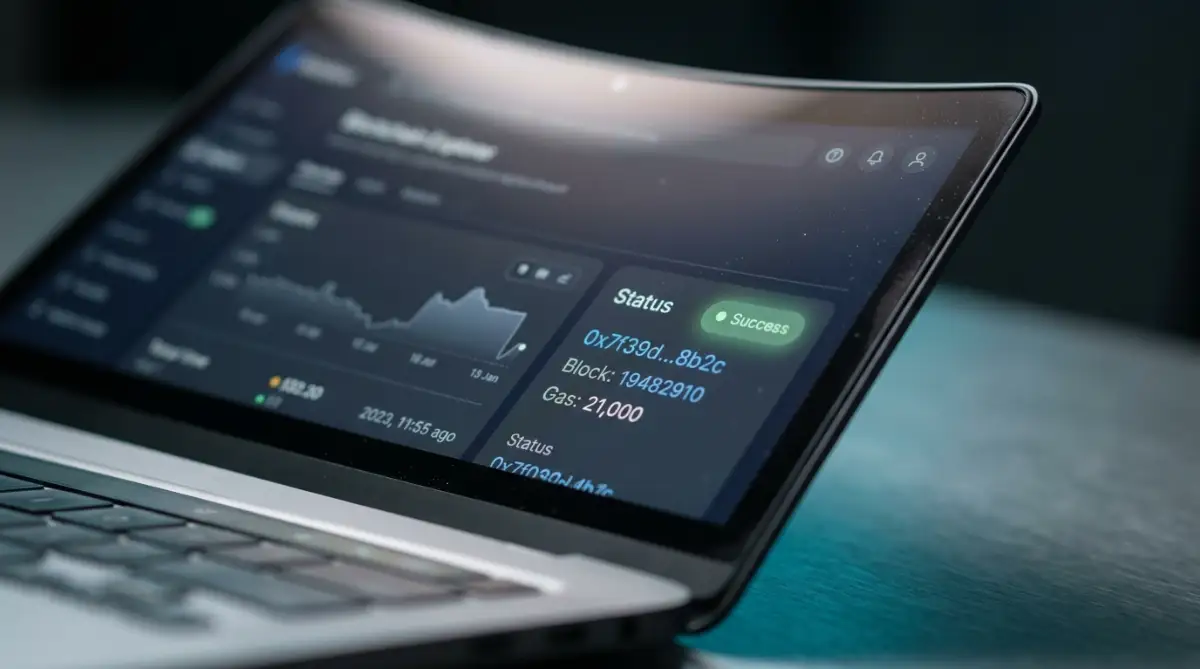
First, look for the Status field. This is usually near the very top of the page.
When I first looked at a transaction receipt page, the wall of data looked like alien code to me. My pro tip is to completely ignore ninety percent of what you see on that screen and focus only on the status and the confirmations. Once those two lines show green, you can stop holding your breath and close the tab.
### Quick Cheat Sheet: Deciphering Explorer Statuses
| Explorer Field | What It Actually Means | What You Should Do |
| :--- | :--- | :--- |
| **Pending / Indexing** | Miners haven't packaged your transaction into a block yet. | Wait 5–15 minutes; do not re-send the funds. |
| **Success / Confirmed** | Money has arrived at the destination address mathematically. | If your exchange shows zero, refresh the exchange app. |
| **Failed / Reverted** | Smart contract error or ran out of gas; funds stayed in your wallet. | Check that you hold enough native coin (like ETH/SOL) for network fees. |
| **Dropped / Replaced** | Outbid by higher fee transactions during network rush hours. | Speed up using a higher gas setting in your wallet. |
If the status says "Success," the money has safely reached its destination. If it says "Pending," the miners are still working on processing your request. If it says "Failed," the money was sent back to your original wallet.
Want to see exactly what a real block explorer looks like and how to read it? Watch this short visual guide to see a quick walkthrough of Etherscan and Solscan before reading the detailed breakdown below!
Understanding the Concept of Confirmations
Right next to the status, you will often see a number of "Confirmations." This is a very common source of confusion for new users.
Think of confirmations like a series of security checkpoints. When your transfer is first broadcast to the network, it has zero confirmations.
As time passes, independent computers around the world verify your transfer. Each time a new block of data is added on top of yours, you get one confirmation.
Most major exchanges require between three to six confirmations before they will show the money in your account. So, if your explorer shows "Success" but your exchange balance is empty, just look at the confirmations. You are probably just waiting for a few more security checkpoints to clear.
Expert Insight: Why Do Transfers Fail?
Sometimes, a transaction will permanently fail. This almost always happens because you did not pay enough network fees (often called Gas). Think of it like trying to mail a heavy box with a single, cheap stamp. The post office will simply return the box to you. You do not lose your main funds, but you do lose the small fee you paid to try and send it.
The Anatomy of Digital Addresses
Now let us look at the "From" and "To" sections on the explorer page. These are the digital box numbers we talked about earlier.
The "From" address is where the money started. The "To" address is exactly where it landed.
Always double-check the first four and last four characters of the "To" address. Hackers often try to trick you by generating fake addresses that look very similar to your real ones.
If the "To" address on the explorer exactly matches the address your friend gave you, your job is done. The money is in their box. If they say they do not see it, they just need to refresh their own wallet app.
Network Fees and Hidden Costs
Scroll down a little further on the explorer page. You will see a section labeled "Transaction Fee" or "Gas Fee."
This shows exactly how much you paid to move your money. This fee does not go to a central company. It goes to the independent computers that keep the network running.
During busy times, these fees can get very high. If you look at your explorer receipt and notice a huge fee, you probably tried to send money during a network rush hour.
You can use explorers to check the current average fee before you send anything. This simple habit can save you hundreds of dollars over time.
Myth vs. Reality: The Anonymity Illusion
The Myth: Many people believe that sending digital currency is completely anonymous and untraceable.
The Reality: Public ledgers are actually the worst place to hide financial activity. Every single transfer is permanently recorded for the entire world to see.
While your actual name is not attached to your wallet address, your complete financial history is public. If someone figures out that a specific address belongs to you, they can see every purchase you have ever made.
This is why many experts recommend using different addresses for different purposes. You might have one address for long-term savings and another for daily spending.
Comparing Traditional Banking to Public Ledgers
FeatureTraditional Bank TransferBlockchain ExplorerOperating HoursMonday to Friday, 9 to 524/7, every day of the yearTracking AbilityHidden inside bank servers100% visible to the publicProof of PaymentPaper receipt or bank statementTransaction Hash (TXID)Speed of SettlementTakes days for international wiresUsually settles in minutes
Navigating Different Network Explorers
Not all digital money lives on the same network. Just like Mac and Windows are different operating systems, Bitcoin and Ethereum are different networks.
You cannot use a Bitcoin explorer to search for an Ethereum transfer. You must use the correct tool for the specific network you are using.
If you send a token on the Solana network, you must use a Solana explorer like Solscan. If you send a token on the Polygon network, you use Polygonscan.
Always ask the sender exactly which network they used. This is the most common mistake beginners make when trying to track their money.
### Which Explorer Should You Open? (Direct Match Guide)
* **Q: I sent USDT from Binance to my private wallet. Which site do I use?**
* **Answer:** It depends entirely on the withdrawal network you selected. If you chose TRC-20, paste your TXID into **Tronscan**. If you selected ERC-20, use **Etherscan**. If you chose Arbitrum, paste it into **Arbiscan**.
* **Q: I sent SOL or a meme token and it’s delayed. What tool works best?**
* **Answer:** Go straight to **Solscan.io** or **SolanaFM**. Look directly at the "Result" line at the top left.
* **Q: Can I track a Bitcoin wire on Etherscan?**
* **Answer:** No. Bitcoin runs on its own isolated chain. Always paste Bitcoin TXIDs into **Mempool.space** or **Blockchain.com**.
How to Check Your Own Wallet Balance Safely
Many people log into their wallet apps constantly just to check their balance. This can actually be a security risk.
If you log in while connected to public Wi-Fi, a hacker might steal your password. Instead, you can use a blockchain explorer to check your balance without ever logging in.
Simply copy your own public wallet address. Go to the correct network explorer and paste your address into the search bar.
The explorer will show you your exact current balance. It will also show you a complete history of everything you have sent and received. You can do this safely from any computer or phone in the world.
Spotting Fake Tokens in Your Wallet
As you start exploring your own wallet address, you might notice something strange. You might see random tokens in your account that you never bought.
They might be named things like "Claim Free Money" or "Visit This Website." Do not interact with these tokens.
These are scam attempts called dust attacks. Hackers send these worthless tokens to thousands of public addresses.
They hope you will get curious, go to their fake website, and connect your wallet. If you do this, they will drain your real funds.
A good explorer will usually flag these scam tokens with a warning symbol. Always ignore free money that randomly appears in your digital search results.
Verifying Smart Contracts Before You Buy
Sometimes you will want to buy a new, exciting token. But how do you know you are buying the real thing and not a cheap copy?
Anyone can create a token and give it the exact same name as a famous project. This is where the explorer becomes your best defense.
Every legitimate token has a unique identifier called a Contract Address. You should always find the official contract address from the project's official website.
Take that contract address and paste it into the explorer. You can see exactly how many people hold the token and how long it has existed.
If you search for a popular token and the explorer shows it only has three holders, you are definitely looking at a scam copy. This simple verification step is exactly how the pros avoid getting tricked.
The Power of Real-Time Network Monitoring
Explorers do more than just track individual transfers. They give you a real-time heartbeat of the entire network.
You can look at the main homepage of an explorer to see exactly how busy the network is. You can see the latest blocks being produced right before your eyes.
If you see that blocks are taking longer than usual to produce, you know the network is congested. You can decide to wait a few hours before moving your money.
This level of macroeconomic data used to be restricted to highly paid Wall Street analysts. Now, anyone with an internet connection can access it for free.
What Happens When You Send to the Wrong Network?
Let us look at a very common real-life scenario. You want to send some money to an exchange.
You copy your deposit address correctly. But when you send the money, you accidentally select a different network in your wallet app.
The transaction shows as "Success" on the explorer. But the exchange says they never received it. What happened?
Your money was successfully sent to that exact address, but on a completely different digital highway. The exchange is watching Highway A, but you drove your money down Highway B.
If you control your own wallet keys, you can usually recover this money by simply switching your wallet connection to Highway B. But if you sent it to a central exchange, you will have to politely ask their tech support team to retrieve it for you.
By checking the explorer, you can instantly see which highway you used. This helps you explain the exact problem to customer support, saving weeks of confusing emails.
Mastering the Digital Ledger: Advanced Habits for Everyday Investors
Once you know how to find a basic transfer on a public ledger, you hold a massive advantage over the average digital investor. But we can take this a step further. You can actually use these same public tools to protect your wealth and study market behavior.
The professionals do not just use an explorer when something goes wrong. They use it daily to gather information and secure their assets. Let us look at a few highly effective habits you can start building today.
Setting Up an Automated Financial Watchdog
You do not have to manually paste your address into a search bar every single day. Most major network explorers have a free account feature that acts like a personal security guard.
You can create an entirely free profile and add your personal addresses to a specific watchlist. Once you do this, you can tell the system to send you an email the second any money moves in or out of your account.
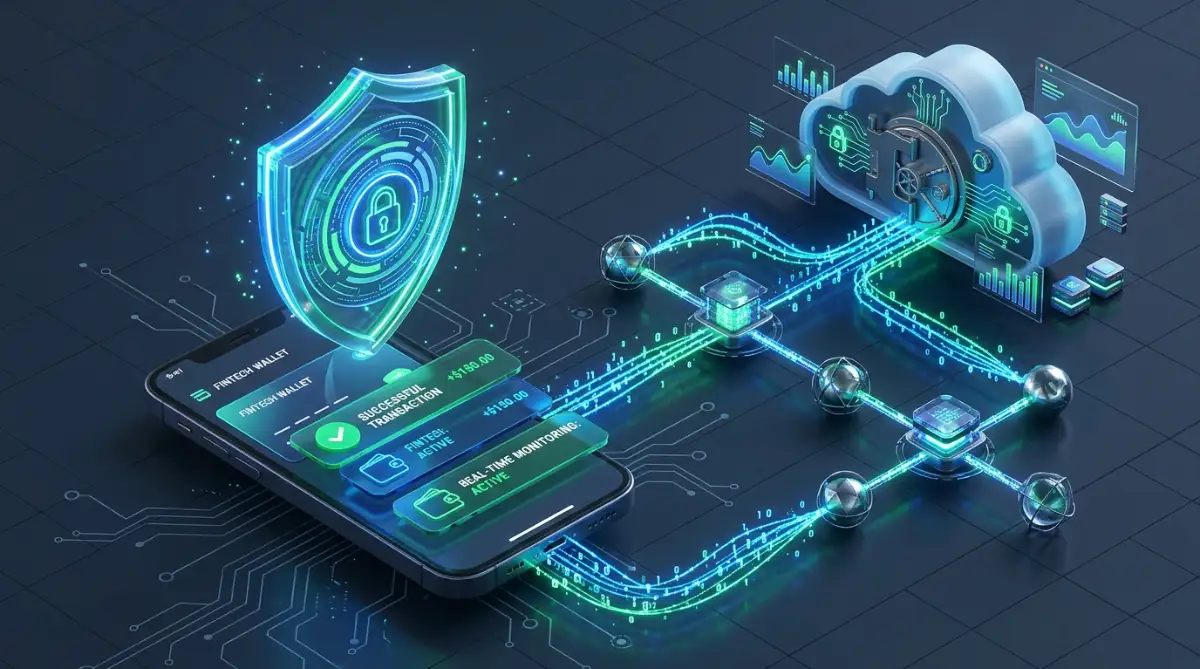
Imagine you are sleeping, and a hacker somehow gains access to your private keys. If they try to drain your funds, your phone will instantly alert you. While you might not stop the very first transfer, you can quickly move your remaining assets before the attacker empties everything.
Deciphering the "Internal Transactions" Tab
If you regularly use automated financial services, you will eventually notice a confusing problem. Sometimes you complete an action, but the main explorer page does not show your money moving.
This happens because you interacted with a smart contract, not a regular human address. Think of a smart contract like a glass vending machine. You put your money in, gears turn inside the machine, and a product comes out the bottom.
To see the gears turning, you have to click on the Internal Transactions tab on the explorer page. This hidden tab shows the exact automated steps the vending machine took to process your request. Understanding this is heavily tied to how to safely use decentralized apps without losing your assets, because it shows you exactly what the app is doing behind the scenes.
If a decentralized exchange tells you a swap failed, the internal tab will show you exactly where the machine got stuck. To understand the deeper mechanics of these digital machines, you can always read the Ethereum Foundation's documentation on smart contracts to see how developers actually build them.
Tracking the Moves of Giant Wallets
We call massive investors "whales" because their financial movements create huge waves in the market. The beauty of a transparent ledger is that whales cannot hide their enormous transfers.
If you want to buy a brand new digital token, you should first check its official token page on the explorer. Look directly at the Holders tab to see who controls the supply.
If you see that a single address holds ninety percent of all the tokens, you are looking at a massive red flag. That one person could sell everything tomorrow and crush the value of your investment instantly.
Smart investors regularly check the top ten holders of any asset before spending a single dollar. If you see the whales moving millions of dollars onto a public exchange, they are probably getting ready to sell. You can use this free public data to make highly educated decisions about your own money.
Auditing Permissions and Token Approvals
Whenever you connect your digital wallet to a new website, the site usually asks for permission to spend your tokens. Most people just click "Approve" without actually reading the fine print.
This is a terrible habit that can completely drain your savings. Over time, your wallet might build up dozens of open approvals for websites you no longer even use.
You can use the Token Approvals tool found on almost every major explorer to review these permissions. It acts like an audit list, showing you exactly which websites have the legal right to move your money.
Make it a monthly habit to check this specific list. If you see a website you do not recognize, or an old project you no longer trust, you can easily click "Revoke" right from the explorer. This simple monthly cleanup is one of the best ways to secure your financial future.

The Most Dangerous Traps for New Ledger Users
Even with the best tools in the world, human error remains your biggest enemy. I have seen incredibly smart people lose life-changing amounts of money simply because they rushed a transaction.
When you act as your own bank, a tiny typo can lead to a permanent disaster. We need to talk about the absolute worst mistakes you can make, and exactly how you can dodge them.
The Horror of Clipboard Hijacking
This is perhaps the most terrifying mistake because it feels like you did everything right. You copy your friend's wallet address from an email. You paste it into your wallet app, hit send, and wait.
The money never arrives. When you check the explorer, the money went to a completely different person. What happened?
Your computer was infected with a specific type of malicious software. As detailed in Kaspersky's research on clipboard malware, this virus quietly sits in the background of your computer or phone. When it detects that you copied a long string of numbers, it instantly replaces your friend's address with the hacker's address.
When you hit paste, you blindly paste the hacker's details. This is why you must always verify the first four and last four characters of an address visually after you paste it. Never trust your computer's clipboard blindly.
The Arrogance of Skipping the Test Transfer
Let us say you are moving a very large sum of money to a hardware wallet for safe keeping. Your hands might be sweating, and you just want to get it over with quickly.
You paste the address, confirm the massive amount, and send the entire batch at once. If you made a single mistake in the network selection, your entire net worth is gone forever.
Professionals completely eliminate this anxiety by using a Test Transfer. If you are sending ten thousand dollars, you first send ten dollars.
You wait a few minutes, check the explorer, and confirm the ten dollars arrived safely in the correct spot. Only then do you send the remaining amount. Yes, you pay the network fee twice, but that tiny fee is the cheapest insurance policy you will ever buy.
Ignoring Network Traffic and Congestion
Many new users complain that their transfers are permanently stuck on "Pending." They often blame their wallet app or the exchange they are using.
In reality, the network is simply overloaded with traffic. If you do not check the current network gas fees on the explorer before sending, you might offer a fee that is way too low.
During heavy market activity, miners prioritize the people who pay the most. While this concept is highly tied to how the network operates—much like how the bitcoin halving explained what actually happens inside the network—the end result is that cheap transactions get pushed to the back of the line.
If your transfer gets stuck, you can sometimes use your wallet app to "Speed Up" the process by offering a higher fee. But it is always better to just check the explorer's gas tracker first to avoid the traffic jam entirely.
Falling for the "Customer Support" Trap
When people see a failed transaction on an explorer, they often panic and search social media for help. They might post their transaction hash on Twitter or Reddit asking for advice.
Within minutes, several extremely helpful "Customer Support Agents" will send them direct messages. They will offer to fix the stuck transaction if you just connect your wallet to their special link.
These are always scammers. There is no central customer service desk for public blockchains.
If someone asks for your private recovery phrase or tells you to connect to a random website to "sync your node," run away. To protect yourself from these social engineering tricks, you should frequently review the FTC's guide on cryptocurrency scams. Learning to spot these fake agents will save you from giving your money directly to a thief. Similar emotional traps are discussed deeply in our guide on crypto market downturns common mistakes and how to stay safe.
Your Action Plan for Financial Confidence
You now have a deep understanding of how public digital ledgers actually function. The days of staring blankly at an unmoving screen and feeling completely helpless are officially over.
You know exactly how to track your digital mail, verify smart contracts, and avoid the most dangerous traps. But reading about these concepts is only half the battle. You need to build a physical habit of using these tools regularly.
Your Homework for Today
Do not wait for a transaction to get stuck before you open an explorer. I want you to practice right now while the stakes are low.
First, copy your own public receiving address from your favorite wallet app. Second, open up the correct network explorer on your computer or phone browser.
Paste your address into the search bar and look around. Click on your transaction history, look at your current token balances, and check to see if you have any active smart contract approvals.
You will likely see a full history of every coffee you bought, every token you swapped, and every transfer you received. Getting comfortable with this interface right now will make you much calmer the next time you move real money.
Stepping Into Total Control
Operating in a decentralized financial world demands a higher level of personal responsibility. You cannot rely on a bank manager to reverse your mistakes anymore.
But with that responsibility comes a level of freedom and transparency that the traditional banking system can never offer. You have exactly the same tools available to you as the biggest institutional investors in the world.
By taking the time to master blockchain explorers, you are actively choosing to protect your own wealth. This knowledge directly supports how to build your crypto portfolio safely using this simple method, as tracking is the foundation of any good investment strategy.
Taking charge of your own transactions might feel a bit scary at first, but it is incredibly empowering once you get the hang of it. You don't have to guess or hope that your money is safe when you can see the math with your own eyes. Give it a try with your own address today and watch how quickly that old transfer panic disappears.
Disclaimer
This article is provided strictly for educational and informational purposes. The instructional steps, ledger tracking methods, and security suggestions discussed regarding blockchain explorers, transaction hashes (TXIDs), and digital wallet monitoring do not constitute professional financial, investment, or cybersecurity advice. Cryptocurrency transactions are mathematically immutable, permanent, and carry substantial financial risk; therefore, we make no guarantees that following these guidelines will prevent transaction errors, asset loss, or security breaches.
While we endeavor to provide accurate and practical concepts, we make no representations or warranties concerning the completeness, reliability, or timeliness of this information. Public ledger protocols, network structures, and explorer tool interfaces change frequently over time. Readers should consult a licensed financial advisor or a qualified cybersecurity professional before managing significant transaction values. Any actions you take based on this content are completely at your own discretion and risk.
The website, author, and publisher disclaim all responsibility for any direct, indirect, or consequential losses, failed transfers, or damages resulting from the use of this content. Any outbound links to external explorers, official platforms, or security resources are provided for user convenience only and do not imply endorsement, and some may be affiliate links through which we earn a commission at no additional cost to you.
Disclaimer
This guide is published strictly for educational and informational purposes only and does not constitute financial, investment, legal, or cybersecurity advice. Digital assets and blockchain transactions involve significant market volatility and technical risks; asset transfers are permanent and carry no guarantees of recovery or financial profit.
While we strive to keep technical workflows, transaction tracking steps, and network security concepts accurate, we make no representations or warranties regarding the completeness, accuracy, reliability, or timeliness of this material. Blockchain network protocols, explorer interfaces, gas calculations, and smart contract functionalities evolve and change over time. Readers should independently verify all wallet addresses and consult licensed financial advisors or credentialed technical experts before initiating material transactions.
Any reliance placed upon this content is undertaken strictly at your own discretion and risk. The author, website, and publisher accept no liability or responsibility for direct, indirect, or consequential losses, misdirected transfers, lost funds, or security breaches resulting from the use of this content. External links to third-party tools, block explorers, or platforms are provided solely for reference and convenience without endorsement. Certain links may represent affiliate partnerships, where commissions may be earned at no additional cost to readers.