The Late-Night Charging Panic We All Share
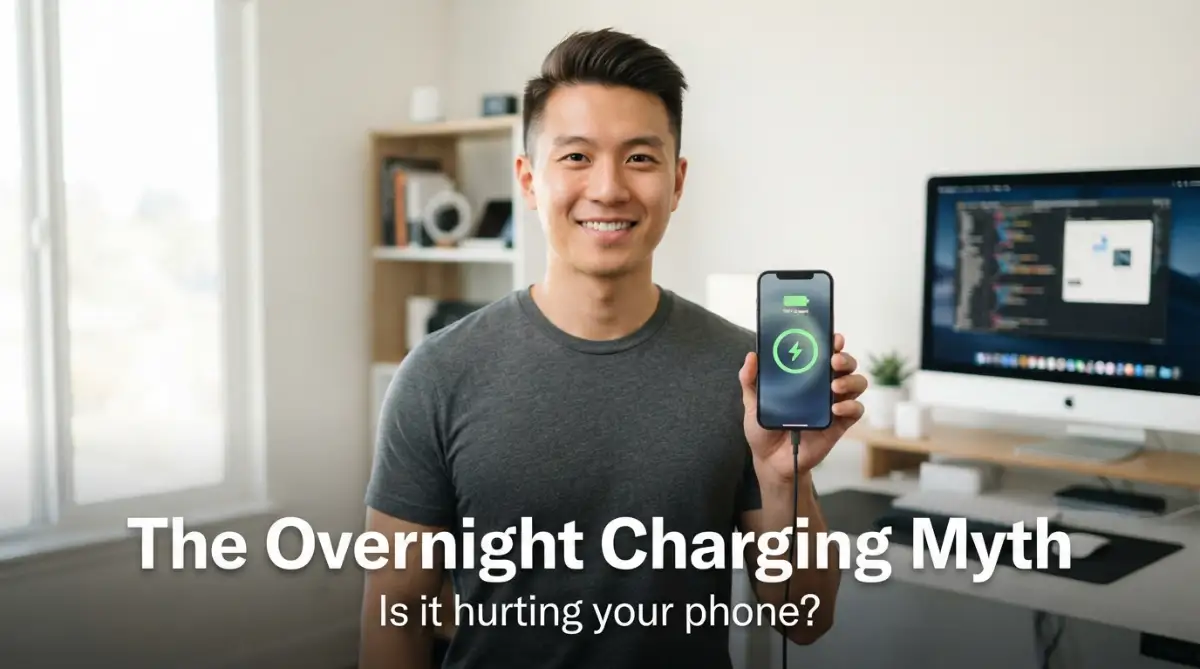
I still remember the cold sweat that woke me up at three in the morning last week. I jumped out of bed and rushed to pull my brand-new smartphone off the charger. The back of the device felt incredibly warm, and my heart sank instantly. I felt a deep wave of regret, thinking I had just ruined my expensive battery. This constant worry about leaving my phone plugged in overnight was ruining my sleep.
Millions of us go to sleep every night carrying this exact same worry. We wonder if we are slowly killing our expensive gadgets while we sleep. It feels like we are forced to choose between a dead battery in the morning or a damaged device.
This constant worry creates a strange kind of daily stress. You find yourself waking up in the middle of the night just to unplug your charger. Or you might spend your morning rushing around because your phone is only at twenty percent.
Our phones are our lifelines for work, family, and daily organization. When we feel like we are ruining them, it causes real mental fatigue. No one wants to spend hundreds of dollars on a new battery after just a few months.
We often feel helpless because we get so much conflicting advice online. One website tells you to never plug it in overnight, while another says it is completely fine. This lack of clear answers leaves us feeling stuck and anxious.
The constant fear of seeing that battery health percentage drop can drive you crazy. You start watching the battery meter like a hawk throughout the day. It is time to clear the confusion and find some real peace of mind.
I
The Magic Inside Your Phone: How Modern Charging Works
Your phone is far smarter than you might think. It does not just blindly drink electricity until it explodes. Modern smartphones are built with highly advanced silicon chips that manage the incoming power.
These chips act like tiny gatekeepers for your battery. When you plug your phone in, the charger sends electricity to the device. The smart chip monitors how much energy is inside the battery cell at every single second.
Once your phone hits one hundred percent, the smart chip takes immediate action. It completely shuts off the flow of incoming electricity. Your phone stops charging and simply runs directly off the power adapter.
The fear of "overcharging" is actually a relic of the past. Older rechargeable batteries did not have these protective systems. If you left them plugged in, they would continue to absorb power and eventually get damaged.
With today's lithium-ion technology, that worry is mostly gone. The phone simply refuses to accept more power than its maximum capacity. It stays at one hundred percent without pushing more energy into the chemical cells.
This means your phone will not explode simply because you left it on the charger. The system is designed to keep you and your home completely safe while you sleep. However, this does not mean overnight charging is entirely free of consequences.
If you want to see exactly how your phone manages power in real-time, this video explains it perfectly. Watch how the smart chip shuts off power the second your battery hits one hundred percent.
[
The Real Culprits Behind Battery Aging
While your phone will not overcharge, leaving it plugged in all night can still cause issues. The biggest threat to your battery health is not the electrical current itself. The true enemy of any lithium-ion battery is heat.
When electricity flows into your phone, chemical reactions take place inside the battery. These reactions naturally generate a small amount of heat. If that heat cannot escape, the battery temperature begins to rise.
Overnight, your phone might sit under a heavy blanket or pillow. This traps the heat around the device and raises the temperature to dangerous levels. High temperatures break down the internal chemistry of the battery much faster than normal.
A lithium-ion battery is happiest when it is kept at a medium charge level. The chemical structure of the battery experiences stress when it is empty or full. Think of it like stretching a tight rubber band.
When your phone is at one hundred percent, the battery is under high voltage stress. It is like holding that rubber band at its maximum stretch for hours. Leaving your phone plugged in overnight keeps it in this high-stress state for six to eight hours.
Over several months, this continuous stress wears down the battery chemistry. The battery loses its ability to hold a charge as effectively as it did when it was new. This is why your phone starts dying faster after a year of use.
Every battery has a limited number of charge cycles before it begins to degrade. A cycle is defined as using one hundred percent of your battery's total capacity. Charging your phone from zero to one hundred percent counts as one full cycle.
If you charge your phone overnight, it often experiences "trickle charging." Once the battery drops to ninety-nine percent, the charger kicks back in to push it back to one hundred percent. This tiny, repetitive cycle goes on all night.
These micro-cycles put extra wear and tear on specific parts of the battery cell. It is like constantly rubbing the same spot on a piece of paper. Eventually, that specific spot wears out much faster than the rest of the sheet.
Step-by-Step Blueprint to Charge Safely Overnight
Almost every modern smartphone comes with a built-in feature to protect battery health. Apple calls this "Optimized Battery Charging," while Android brands often call it "Battery Protect" or "Adaptive Charging." You should find this setting and turn it on immediately.
This smart feature learns your daily sleep schedule over a few days. It charges your phone to eighty percent quickly and then pauses the charging process. It waits until right before you wake up to charge the remaining twenty percent.
By doing this, your phone spends very little time at maximum voltage stress. It keeps the battery cool and safe for the majority of the night. It is an incredibly easy way to extend the lifespan of your device without changing your routine.
You must be mindful of where you place your phone when you go to sleep. Never leave your charging phone on a soft surface like a bed, sofa, or under your pillow. Soft materials trap the heat generated by the charging process.
Instead, always place your phone on a hard, flat surface. A wooden nightstand, a glass desk, or a metal tray are excellent options. These materials allow the air to flow freely around the device and keep it cool.
My Costly Midnight Mistake: I used to charge my phone under my pillow to keep the screen hidden from my eyes. One morning, the phone was so hot it literally shut itself down to prevent a fire. I learned my lesson, and now I always place it on a hard, flat wooden desk.
Many people use their phones while they are lying in bed plugged into the charger. They scroll through social media or watch videos while the battery is actively filling up. This is a habit that can damage your device quickly.
Using your phone while it charges creates a double heat effect. The screen and processor generate heat, and the charging battery generates heat at the same time. This combined heat puts extreme thermal stress on the battery cells.
If you must use your phone, unplug it first. Let the device cool down before you plug it back in for the night. This small habit change will save your battery from premature aging.
It is tempting to buy cheap charging cables and wall adapters from convenience stores. However, these unbranded accessories often lack the safety chips found in official chargers. They can send unstable voltage to your phone.
Unstable power can easily bypass your phone’s internal safety systems. It can cause spikes in temperature and even damage the charging port. Always use the charger that came with your phone or a certified brand name.
Look for certifications like "MFi" for Apple devices or reputable brands like Anker for Android devices. These brands use high-quality materials that communicate properly with your phone's power management chip. Spending a few extra dollars now can save you from a costly repair bill later.
Smart Charging Truths Exposed
To help you understand this topic better, let us clear up some of the most common myths. This simple comparison table shows what actually happens to your device.
By knowing the difference between myths and reality, you can make better choices. Your phone is a tool designed to make your life easier, not harder.
Final Thoughts on Protecting Your Investment
You do not need to live in constant fear of your phone charger. Modern technology is designed to protect itself from our worst habits. Leaving your phone plugged in overnight is not going to ruin your device in a single week.
However, making small changes to how you charge can save you money in the long run. By using smart battery settings and keeping your phone cool, you keep the battery healthy. Your phone will perform better, and you will not have to replace it as quickly.
Take a moment tonight to check your phone settings and clear a space on your nightstand. A few simple adjustments will give you peace of mind while you sleep. Your phone will be fully charged and ready for whatever your day brings.
Beyond the Basics: Pro-Level Charging Habits for Maximum Lifespan
We already know that modern smartphones have built-in systems to prevent overcharging. However, if you want your device to last for many years, you need to think like a tech expert. There are several advanced strategies that go far beyond just turning on a basic setting.
One of the most effective tricks is managing what experts call the depth of discharge. To understand this, we can look at official research on prolonging lithium-based batteries on Battery University, which shows that partial discharges are much healthier than full ones. You do not have to let your phone drain completely to empty before you plug it back in.
In fact, keeping your battery level in the sweet spot is the ultimate secret. This ideal zone is generally between thirty percent and eighty percent. Charging in short, small bursts throughout the day is much better than one long overnight session.
If you love wearable tech, you might notice similar issues with other devices. You can read about why your smartwatch battery drains fast to see how these exact same rules apply to all your daily gadgets. Managing how you charge your watch can save you just as much hassle as protecting your phone.
Another smart move is to use home automation to control your charging habits. Many people are now using smart plugs that automatically shut off power after a few hours. This physical disconnection is a great way to ensure your phone is not sitting under voltage stress all night.
When setting up these smart systems, you want to make sure your home network is completely stable. If you run into connectivity issues, you can learn how to fix older smart home devices dropping Wi-Fi to keep your smart plugs working perfectly. A steady connection means your automated chargers will never fail to shut off on time.
You also need to think about where you place your devices when they are charging. Placing your phone near a sunny window or on top of a warm appliance can ruin the battery in a few weeks. Extreme external heat ruins the delicate internal components of modern electronics.
This concept is similar to how environmental placement affects green energy setups. You can see why your solar panels underperform due to simple placement errors to understand how much external factors impact energy efficiency. Keeping both your phone and your household energy gear in the right spot makes a massive difference.
Finally, you should make it a habit to restart your smartphone at least once a week. This simple action closes background apps that might be stuck in a high-power consumption loop. When these apps run constantly, they cause the phone to run hotter during your nightly charging sessions.
Keeping your phone's software updated is another hidden key to battery longevity. Manufacturers constantly update the power management algorithms to make charging safer and cooler. These small software tweaks can easily add months to the total life of your device.
I
Silent Killers: Charging Mistakes That Silently Drain Your Wallet
Many people make simple mistakes that slowly destroy their phone batteries without even realizing it. These bad habits might seem harmless at first, but they add up to major damage over time. You could end up spending hundreds of dollars on early replacements because of a few simple routines.
One major mistake is charging your phone while keeping it inside a heavy, rugged protective case. These thick plastic and rubber cases act like a warm winter coat. They trap all the heat inside the phone, cooking the battery cells while the charger is plugged in.
If your phone feels warm to the touch when you unplug it, the case is likely the problem. Try taking the cover off before you go to sleep. This simple habit allows heat to escape into the air, keeping your device safe and cool.
Using cheap car chargers is another massive trap that can fry your phone's internal circuits. Cars have highly unstable electrical systems that spike when you start the engine or accelerate. A low-quality charger cannot filter these sudden spikes, leading to permanent hardware damage.
Using bad tech tools can compromise your entire digital life. In the same way, you should learn how to stop hackers today by fixing common security setups on your home internet. Protecting your hardware from electrical damage is just as important as protecting your data from online threats.
Another silent killer of battery health is a poor cellular connection. When your phone has a weak signal, its internal transmitter has to work twice as hard to stay connected. This extra work generates massive amounts of heat and drains power rapidly.
If you charge your phone in a room with a terrible signal, the battery will heat up significantly. This issue is highly common and easily preventable. You can read about why your Wi-Fi signal drops in specific rooms to find easy ways to improve your home connection and save your battery.
People also make major mistakes when they are traveling or on the move. They pack their phones into tight, crowded bags while connected to a portable power bank. This confined space creates a dangerous heat trap that can severely degrade the battery cells.
If you are planning a trip, you need to pack your tech gear safely. You can learn how to pack for travel using compression bags to organize your clothes while leaving plenty of breathing room for your electronics. Never compress your charging gadgets into tight spaces where heat cannot escape.
Finally, some users make the mistake of using extreme fast chargers every single day. While fast charging is convenient, it should not be your default option for overnight charging. Slow, gentle charging overnight is always much healthier for the battery chemistry.
If your phone allows you to turn off fast charging in the settings, you should do so for your nightly sleep. Save the super-fast chargers for times when you need a quick boost before running out the door. Your battery will thank you for the gentle treatment.
Your Roadmap to Daily Peace of Mind
Taking care of your smartphone does not have to be a stressful chore. Once you understand how these devices work, you can easily build safe habits into your daily routine. You will enjoy a phone that runs fast and lasts long without constantly worrying about the battery percentage.
Think of your battery health as a long-term investment. By spending just a few seconds setting up smart charging limits and choosing the right spot to charge, you save real money. You will not have to deal with the frustration of a phone that dies by lunchtime.
You can visit TrustPicksHQ to find more helpful tech guides and honest reviews that make your daily life easier. Having the right information is the easiest way to protect all your expensive home and personal gadgets.
I changed how I charge my phone, and my current device still has ninety-five percent battery health after a year of heavy use. You do not have to stress over your battery percentage every single hour. Start taking these simple steps tonight, and protect your expensive investment while you sleep.
Disclaimer
The information provided in this article is for educational and informational purposes only. While modern smartphones contain numerous safety features, electrical devices should always be handled according to the manufacturer's official guidelines. The author and website are not responsible for any damage to devices resulting from improper charging habits, faulty accessories, or hardware malfunctions.
Common Questions About Sleep Charging and Device Safety
No, it will not cause your phone to explode because modern devices have smart chips that stop the power flow. However, leaving it at maximum charge for eight hours does create continuous voltage stress. This stress can slowly reduce the overall lifespan of your battery over many months.
Yes, cheap and uncertified cables often lack safety chips and have poor wiring. They can send uneven electrical currents to your device, causing excessive heat and potential hardware damage. It is always best to use certified accessories from reputable brands to protect your phone.
No, this is a common myth that actually harms modern lithium-ion batteries. These batteries experience the most stress when they are completely full or completely empty. It is much better to plug your phone in when it drops to around twenty percent.
Your phone naturally generates heat as it processes incoming electrical energy. If your phone is placed on a soft bed or kept inside a thick case, this heat gets trapped. Always charge your phone on a hard, flat surface to allow proper airflow and keep it cool.
Fast charging generates more heat than slow charging, which can stress the battery if used constantly. However, modern fast chargers are smart enough to slow down the speed once your battery reaches eighty percent. For overnight charging, using a standard slow charger is still the safest and healthiest choice.