
Why Does Technology Make Us Feel So Left Behind?
I still remember the day my boss asked me to set up a digital workspace. My heart sank instantly because I had no idea where to start. I stared at my screen for an hour, feeling completely lost and stupid.
Everyone else seemed to use these apps and programs so easily. That quiet shame of not knowing how digital tools work kept me silent. I realized then that many of us hide this exact same fear every single day.
It is incredibly frustrating to feel like a stranger in a world run by computers. Every time a new update rolls out, a wave of anxiety hits us. We worry that we might click the wrong button and break everything.
This constant fear does not just slow down our work. It chips away at our self-confidence and makes us feel outdated. We watch younger colleagues breeze through tasks while we sweat over simple file formats.
Even at home, smart devices can make us feel isolated. When a simple digital tool fails to connect, we blame ourselves instead of the bad design. This silent struggle creates a deep mental weight that drains our energy daily.
No one likes to ask for help with things that seem simple to everyone else. We end up spending hours trying to figure out a simple program by ourselves. It is a lonely and exhausting cycle that leaves us feeling defeated.
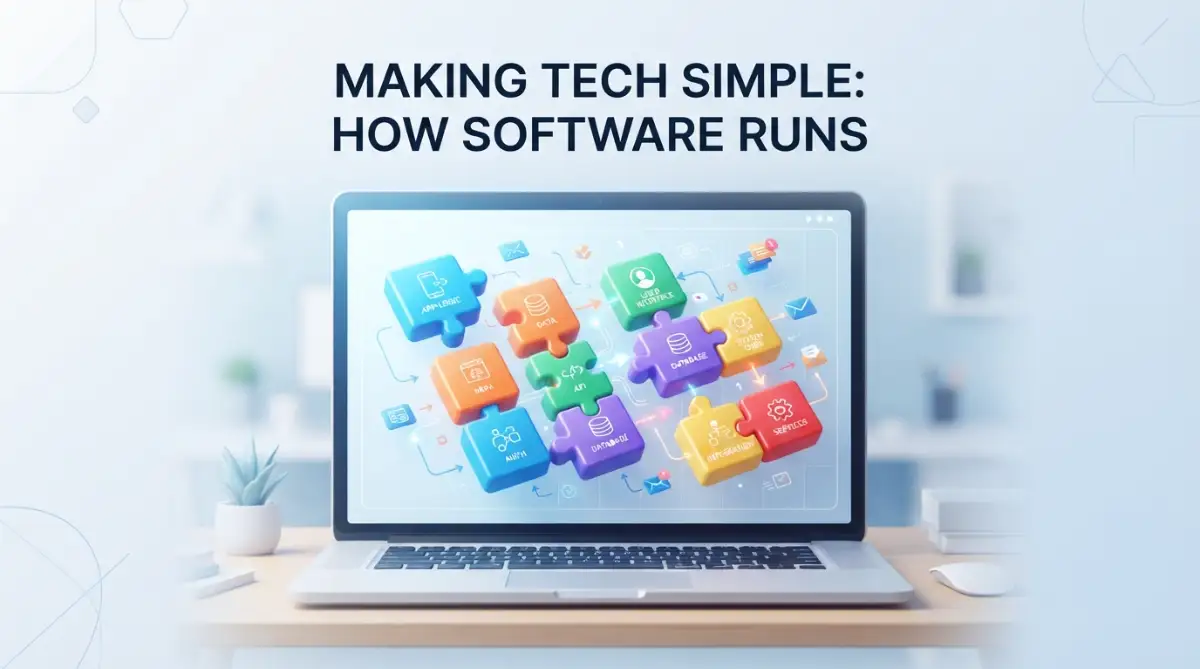
Breaking Down the Magic: How Software Actually Works
The Brain Behind the Screen: What is Software?
Think of your computer or phone as a physical book. The screen and buttons are the paper and cover, which we call hardware. The words, stories, and ideas printed inside represent the software.
Without the printed words, a book is just empty pages. Similarly, without software, your expensive phone is just a piece of metal and glass. Software gives your device its life, purpose, and utility.
At its heart, software is a collection of instructions. These instructions tell your physical device exactly what to do when you touch the screen. It is like a master chef guiding a kitchen helper step by step.
We use these digital instructions every time we send a text or open an app. The physical parts of your phone simply follow the rules written in the software code. It is a partnership that turns static metal into an active tool.
The Simple Recipe: How Programs Think
Every program you use runs on a basic concept of input, processing, and output. When you tap a button on your screen, you are giving an input. The software quickly reads this command to understand your goal.
Next, the system processes this request behind the scenes. It runs calculations and checks rules to decide what action to take next. You do not see this part, but it happens in milliseconds.
Finally, the software delivers the output directly to your screen. This could be a sent email, a playing video, or a new document. This basic cycle powers every single tool in our digital lives.
Let's think of a digital calculator on your smartphone as a clear example. When you tap the five button and the plus button, that is your input. The software processes the math and displays the number on your screen as the output.
This simple process is the foundation of even the most complex systems. From online games to banking tools, everything follows this input and output loop. Understanding this loop helps remove the mystery of how apps work.
Your Digital Helpers: Understanding Different App Types
To make sense of software, we can group it into two main categories. The first group is called system software, which keeps your device running smoothly. The most famous example of this is your operating system.
Your phone uses Android or iOS, while your laptop likely runs Windows or macOS. This background system acts like a manager in a busy restaurant. It coordinates all the other programs so they do not crash into each other.
The second group is what we call application software, or apps for short. These are the tools you open to get specific jobs done. They help you write documents, talk to friends, or edit photos.
Think of system software as the house you live in. Application software represents the furniture and tools you put inside to make it useful. You need both to have a comfortable and working home.
Without the operating system, you could not even turn on your favorite applications. Without applications, the operating system would have nothing useful for you to do. They must work together in harmony to serve you.
The Silent Language: How Hardware and Software Talk
You might wonder how a physical screen understands your invisible ideas. The secret lies in a system of translation that happens instantly. Hardware only speaks in tiny electrical signals, like turning a light switch on and off.
Software acts as the ultimate translator between human language and these electrical pulses. It converts your clicks and taps into long codes of ones and zeros. This binary language is the only thing computer chips can read.
Once the computer chip processes these numbers, it sends back a response. The software translates those numbers back into beautiful colors and text on your screen. It is a continuous conversation happening at the speed of light.
Every time you swipe your finger across the screen, millions of translations happen. The software makes sure your movement turns into a smooth scroll on your feed. This quick conversation ensures your device reacts to your touch instantly.
Myth vs Reality: Clearing Up Tech Confusion
Many people believe they need to be math geniuses to understand software. This common belief keeps many smart people from learning simple digital tools. The truth is that using software only requires logical thinking, not complex math.
Another myth is that software is physical and takes up heavy space inside your device. In reality, software is pure digital information stored on tiny magnetic drives. It is weightless, even though it holds a massive amount of power.
People also worry that they will break their computer by clicking the wrong setting. Most modern programs are built with safety nets to prevent major disasters. You can almost always undo a mistake with a simple click.
Let's look at some common myths side by side to make things clearer.
Mastering the Everyday Tools We Use
Let's look at the actual tools we use every single day at work. Word processors help us type out letters, reports, and creative stories. They have replaced old typewriters and made editing a breeze.
Spreadsheets are digital grids that help us organize numbers and dates. They can do complex math for us automatically when we enter simple formulas. Many businesses run entirely on these neat grids.
Web browsers are the vehicles we use to travel across the internet. They read code from distant computers and show it as beautiful websites. Without them, we could not access our favorite search engines.
To get a deeper look at how these daily tools interact with your computer's brain, check out this quick guide.
Simple Habits to Help You Learn Any Software Fast
Learning a new program does not have to feel like studying for a test. You can master any digital tool by using a few simple habits. The first habit is to explore the screen without fear of breaking things.
Take a few minutes to hover your mouse over different icons. Most programs will show a small text box explaining what that icon does. This simple habit helps you build a map of the tool in your mind.
Another great habit is to focus on learning one specific task at a time. Do not try to learn the entire program in a single afternoon. Instead, focus on learning how to save a file or share a document.
Once you master one small task, your confidence will grow quickly. You will find that other features start to make sense on their own. This slow and steady approach beats cramming every single time.
Pro Tip: When I first tried to learn database software, I felt totally overwhelmed by all the options. I made the mistake of trying to learn every button on day one. Once I decided to just learn how to search for one name, everything clicked.
How Cloud Computing Works: Your Files in the Sky
In the past, every file we saved stayed on our hard drive. If our computer broke, our precious photos and documents were gone forever. Today, cloud computing has changed how we save our digital work.
The cloud is not some mystical place in the sky. It is simply a giant collection of powerful computers kept in secure warehouses. When you save a file to the cloud, you are sending it to these warehouses.
This means you can access your files from any device with an internet connection. If you lose your phone, your photos remain safe in the cloud. It is like renting a secure locker in a digital bank.
Many popular digital tools run entirely on cloud technology. This allows you to work from home, the office, or a local coffee shop. Your work follows you wherever you go without any extra effort.
Understanding Software Updates: Keeping Your Tools Safe
We have all seen those annoying notifications asking us to update our software. It is tempting to click the ignore button and keep working. However, these updates are a highly important part of keeping your tools healthy.
Software developers work constantly to find mistakes in their code. They also look for security weaknesses that could let hackers steal your data. When they find these problems, they create a quick patch to fix them.
When you agree to an update, you are installing these quick patches. This keeps your device safe from cyber threats and makes your apps run faster. Think of it as a regular oil change for your digital car.
Ignoring updates leaves your device open to slow performance and security risks. Taking a few minutes to update is a simple way to protect yourself. It is a small habit that saves you from massive headaches later.
The Role of Artificial Intelligence in Everyday Apps
You probably use artificial intelligence every day without even knowing it. When your email app suggests words to finish your sentence, that is smart software at work. It learns from your habits to make your life simpler.
This kind of software does not think like a human. Instead, it analyzes massive amounts of data to find patterns. Once it recognizes a pattern, it can make smart guesses about what you want next.
For instance, streaming services use smart patterns to suggest new songs you might like. They compare your music taste with millions of other users to find matches. This simple helper saves you from searching for new music yourself.
These smart tools are not here to replace our decision-making. They are built to act as helpful assistants that do the heavy lifting for us. Using them wisely allows us to focus on what we do best.
Protecting Your Digital World: Basic Security Tips
As we use more digital tools, keeping our personal information safe is a main priority. You do not need to be a security expert to protect yourself online. A few simple rules can keep your digital space highly secure.
First, always use strong and unique passwords for your main accounts. Avoid using simple words like your birthday or your pet's name. Using a password manager can help you store these codes safely.
Second, be very careful about clicking on strange links in emails. Scammers often use fake emails that look exactly like your bank or workplace. If something looks slightly weird, always double-check before sharing your details.
Finally, try to use two-factor authentication whenever it is offered. This simple tool sends a quick code to your phone when you log in. It acts as an extra lock on your front door to keep intruders out.
How to Choose the Right Tools for Your Needs
With thousands of apps available, choosing the right tool can feel overwhelming. It is easy to get distracted by fancy features you do not actually need. The best approach is to start with a clear list of your goals.
Ask yourself what specific problem you are trying to solve today. If you just need to write down quick ideas, a simple notepad app is perfect. You do not need a complex project management tool for basic notes.
Look for tools that have high ratings and positive reviews from other beginners. Good software should feel comfortable to use within the first ten minutes. If a tool feels too confusing, do not hesitate to look for an easier alternative.
Many great digital tools offer free trials or basic free versions. Take advantage of these offers to test the software before spending your money. This trial period helps you find the tools that fit your personal style.
Why Digital Tools Make Our Lives Easier
The main goal of any software is to save you time and energy. It automates repetitive tasks so you can focus on creative work. This means you spend less time doing boring, manual chores.
For example, sending a digital letter takes less than a second. Sending a physical letter requires paper, envelopes, stamps, and a walk to the mailbox. Software removes these physical steps to speed up our lives.
Digital tools also allow us to work together from different parts of the world. Multiple people can edit the same document at the exact same time. This level of connection was impossible just a few decades ago.
By understanding these basics, you gain control over your daily routine. You stop fighting with your tools and start letting them work for you. That is where the real power of modern technology lies.
The Path Forward in Your Tech Journey
Technology will keep changing, but the core basics will always remain the same. Once you understand how software thinks, new apps will not scare you anymore. You will see them as new versions of things you already know.
Take your time and celebrate every small win along the way. Learning to use a new digital tool is like learning a new language. It takes a bit of patience, but the rewards are completely worth it.
Keep practicing, keep clicking, and do not be afraid to make mistakes. You are fully capable of mastering these tools and improving your daily life. Your digital journey is just beginning, and you have got this.
Level Up Your Tech Skills: Simple Secrets to Master Any Digital Tool
Moving past basic tech steps is much easier than most beginners realize. You do not need to memorize complex codes to feel like a computer genius. By adopting a few advanced habits, you can make your daily work run much smoother.
Keyboard Shortcuts: The Ultimate Time Saver
Keeping your hands on the keyboard is one of the easiest ways to save hours every single week. When you switch between your mouse and keyboard constantly, your brain loses a tiny bit of focus. Learning just three or four basic key presses can change how you feel about your laptop.
For example, pressing the Control key and the "Z" key together will immediately undo your last action. This is incredibly helpful when you make a sudden mistake or delete the wrong paragraph. It acts like a real-life time machine for your digital writing tasks.
Another wonderful helper is using Control and "F" to find any word on your screen instantly. Instead of reading through a massive document with your eyes, this search tool highlights what you need in a second. This trick works inside web browsers, word documents, and even PDF files.
As you study these keyboard patterns, you will find yourself moving through tasks much quicker. It reduces physical strain on your hands and makes tech tasks highly satisfying. You can find more simple tech guides on our simple tech resources page to build your speed.
Building a Clean Digital Filing System
A messy computer desktop is just as stressful as a physical desk covered in old papers. When you save every file directly to your main screen, finding what you need becomes a nightmare. A clean organization habit will save your sanity and protect your focus.
Try creating three main folders on your computer to group your daily activities. You can label them with simple terms like "Active Work", "Saved Resources", and "Personal Files". This simple step keeps your main screen clear and makes your computer run slightly faster too.
Every time you download a new file, force yourself to put it into one of these folders immediately. It only takes two seconds, but it prevents the terrifying clutter from building up over time. This single habit will make you feel in complete control of your digital home.
When you master this basic storage system, you can easily transition to more advanced tools. Many of these basic software concepts are also helpful if you are learning tech skills with zero experience in modern systems. Keeping your digital house neat is the foundation of all advanced computer usage.
Reading the Signs: How to Handle Error Pop-ups
Most people close error messages immediately because the strange red warnings make them nervous. This is a missed opportunity because those annoying boxes actually tell you exactly how to fix the issue. The software developers designed these messages to be helpful guides, not scary walls.
Next time a weird message pops up, take a deep breath and read the actual words slowly. Look for specific phrases like "file not found" or "connection timeout" to understand the core problem. Often, the solution is as simple as plugging in a cable or closing another busy program.
If the explanation still feels like a foreign language, copy the exact message text and paste it into a search engine. Millions of other users have likely faced the exact same error and shared their simple fixes online. Reading trusted technology forums is how even professional IT experts solve their daily tech problems.
Smarter Web Searching for Quicker Answers
Finding high-quality answers on the internet is an art that anyone can learn in five minutes. When you search for help, avoid typing long, emotional sentences like a human conversation. Instead, focus on using specific keywords that web systems understand best.
For instance, if your printer stops working, do not search "why is my printer being mean to me today". Instead, try typing "printer model name offline error Windows" to target the exact trouble. This simple shift helps search engines filter out useless blog posts and point you directly to the solution.
You can also put quotation marks around specific phrases to search for those exact words in order. This is incredibly helpful when you are hunting for a specific setting or a rare computer error. It cuts out the useless noise and saves you from clicking through ten different websites.
Establishing Your Routine Technology Checkup
Just like a car needs its oil changed, your computer needs a regular checkup to stay healthy. You do not need to pay a professional technician to perform these basic tasks for you. Setting aside ten minutes every month to clean your system can prevent major computer crashes.
Start by deleting old programs that you have not opened in the last six months. These forgotten apps often run quietly in the background and steal your computer's memory power. Removing them is a safe way to give your device an instant speed boost.
After that, run the built-in storage cleaner on your operating system to clear out temporary files. These digital dust bunnies pile up naturally as you browse websites and install new tools. Clearing them away leaves your hard drive fresh, empty, and ready for your next project.
Understanding these core performance habits is similar to learning how artificial intelligence works in everyday life today. Both require looking beneath the surface to see how simple rules create complex results. A healthy computer makes learning new software an enjoyable and stress-free experience.

The Hidden Traps That Keep Beginners Confused and Frustrated
When we are trying to learn how digital tools work, it is incredibly easy to fall into bad habits. These mistakes might seem harmless at first, but they quickly build a wall of frustration. Recognizing these traps is the first step toward becoming a confident technology user.
Clicking Without Reading: The Silent Trap
The biggest mistake most beginners make is clicking "Agree" or "Next" without reading the prompts on the screen. We do this because we want to start using the software as fast as possible. However, this rush can lead to installing unwanted programs or changing important settings by accident.
Some free software downloads will try to bundle extra, useless toolbars into your web browser. If you skip reading the checkmarks, you might end up with a slow computer and strange pop-up ads. Taking five extra seconds to read each screen protects your digital peace and keeps your system clean.
This careless clicking also makes it hard to learn how the program actually works. When you do not pay attention to the options, you miss out on learning the basic logic of the tool. It is always better to move slowly and understand each step before moving forward.
Keeping Too Many Apps Open at Once
Many users complain that their laptop is terribly slow, yet they have fifty web tabs open alongside three heavy programs. Your computer has a limited amount of short-term memory called RAM to process active tasks. When you overload this memory, the system has to struggle to keep everything running.
Think of your computer's memory like a physical workspace. If you try to work on ten different projects at the exact same time, your desk will be chaotic. Closing apps you are not actively using gives your device the breathing room it needs to perform.
This is especially true when using highly advanced platforms. For example, when exploring complex digital systems or understanding machine learning concepts, your system needs every bit of power. Get into the habit of closing empty tabs and shutting down finished tasks daily.
Ignoring Safety Warnings and Postponing Updates
Another dangerous pitfall is ignoring security notifications because they pop up at bad times. We tell ourselves we will handle the update tomorrow, but tomorrow turns into weeks or months. This procrastination leaves your private photos, bank details, and personal files open to online threats.
Software updates are not just about adding fancy new buttons to your favorite application. Their main job is to close dangerous security holes that digital thieves use to break into systems. By delaying these updates, you are leaving your digital front door completely unlocked.
If you want to learn more about keeping your system safe, studying basic computer science systems can give you a strong foundation. Protecting your device is a continuous habit that requires active attention. Do not let a simple update notification stand between you and a secure digital life.
Assuming You Are Just "Bad at Tech"
The most damaging mistake is a mental one, where you tell yourself that you are simply not a tech person. This negative belief turns a simple learning curve into an impossible mountain. Technology is not an exclusive club for young people or math experts.
Modern digital tools are designed by human beings to serve other human beings. If a program feels completely impossible to use, it is usually a sign of bad design, not your lack of intelligence. Swapping your frustration for curiosity will completely change how you approach new tools.
Give yourself permission to make mistakes and click the wrong options. Every error is just a piece of feedback that helps you understand the system a bit better. Once you let go of the fear of looking silly, your progress will speed up naturally.
Your Action Plan for Tomorrow: Stepping Fearlessly Into the Digital World
Learning how digital tools work is a journey that pays massive rewards over time. You do not need to master every single program overnight to feel confident. Focusing on small, daily improvements will help you build a friendly relationship with your devices.
Your Simple Daily Practice Checklist
Start by picking just one digital tool that you use every single day at your job or home. Dedicate ten minutes tomorrow to exploring its main settings menu and trying out one new button. This risk-free exploration will help you build a strong mental map of how the system operates.
As you continue your tech journey, you might want to look into other advanced systems. You can read about comparing automated and human content to see how modern tools process language. Keeping your curiosity active will ensure you are never left behind by new inventions.
Remember that every expert was once an absolute beginner who refused to give up. The digital world is full of amazing helpers designed to make your daily tasks simpler and faster. Step forward with patience, keep practicing, and watch your confidence grow every single day.
To understand how computers share and process this information globally, you can study how the internet operates behind the scenes through trusted technical archives. Knowing these basic structures will demystify the entire online world for you. It turns mysterious magic into a logical and highly useful daily tool.
I used to feel completely overwhelmed by simple spreadsheet formulas, and I almost quit my office job because of it. Once I stopped worrying about breaking the program and just started playing with the buttons, my fear vanished. I promise that if you take just one tiny step today, you will unlock a world of digital confidence you never thought possible.
Answers to the Most Common Tech Confusion Questions
Is it possible to learn software basics without a college degree?
Yes, absolutely anyone can learn these skills at home for free. Most modern software is designed to be highly user-friendly, meaning you only need patience and regular practice to master them.
Will using too many open apps slow down my computer?
Yes, keeping multiple heavy applications open at the same time uses up your computer's temporary memory. Closing programs you are not using is a simple way to make your system run much faster.
What is the difference between a software update and a software upgrade?
An update is a quick patch that fixes minor bugs and security issues to keep your app running safely. An upgrade is a major change that introduces completely new features and designs to the software.
How do I know if a software download is safe for my device?
Only download files directly from the official developer website or trusted app stores like Google Play or Apple App Store. You can also research understanding fundamental tech theories to learn how operating systems verify secure downloads.
How can I protect my digital accounts from online threats?
Creating strong, unique passwords for every account is the absolute best way to stay safe online. You can also follow basic online security habits like turning on two-factor codes to block hackers.
Disclaimer: The information provided in this guide is for educational and informational purposes only. While we strive to offer accurate and helpful tech advice, we recommend consulting official software manuals or professional tech support for specific device troubleshooting.