
The Unseen Helper That Makes Us Feel Left Behind
I remember sitting at my desk last night, completely staring at my smartphone screen in utter confusion. I was typing a quick text to a friend, and my keyboard guessed the exact word I wanted to type next. Honestly, it felt a bit creepy and made me feel like my own phone was reading my mind. I began to wonder how this little piece of glass and metal knew my thoughts before I even fully formed them. It made me realize how much we use modern tools every single day without actually knowing how they operate.
This silent confusion kept me awake, thinking about the invisible systems running behind our screens. We go through our days using smart maps, clicking on recommended videos, and talking to small speakers on our kitchen counters. Yet, most of us do not have a clue how these systems make decisions for us. It feels like we are passengers in a high-tech vehicle, but we do not even know where the steering wheel is. This gap between using technology and understanding it can make us feel deeply disconnected from our own lives.
Many of us secretly worry about this massive shift in how the world works. You might feel a sense of silent anxiety when you see news about smart machines changing jobs or tracking your choices. It feels like the world is moving forward at a pace that is simply impossible to keep up with. You might worry that your privacy is slipping away, or that you are slowly losing control of your personal decisions. This constant feeling of being watched and analyzed by silent software can slowly eat away at your peace of mind.
We want our lives to feel simple, safe, and entirely under our own control. But when every app we open seems to know our next move, we start to feel like we are losing our human independence. It is frustrating to feel like a stranger in a digital world that you use every waking hour. You deserve to understand these tools so you can use them with confidence, rather than feeling managed by them.
The good news is that these smart systems are not magical, and they are definitely not reading your mind. Once you strip away the heavy technical jargon, the basic concepts are actually very simple to understand. By learning how these tools process information, you can take back your power and make technology work for you. You will no longer feel overwhelmed by changes, because you will finally understand the simple rules that run them.
Let us pull back the curtain on this modern mystery together and look at the actual mechanics of these smart tools. Once you see the simple patterns behind the screen, the fear of the unknown completely disappears. You will go from feeling anxious about modern software to using it as a helpful partner in your daily routine.
How Modern Software Actually Thinks and Learns
To understand how these tools help us, we first need to look at what they do. At its core, artificial intelligence is just software designed to spot patterns and make smart guesses. It does not think like a human, and it does not have real feelings or self-awareness. Instead, it looks at huge piles of past information to find trends that a human eyes might easily miss.
Think of this software as a very fast reader who has looked at millions of books in a few seconds. If you show this system a picture of a cat, it does not actually "see" a furry animal. It analyzes the pixels, notices the typical shape of ears and whiskers, and compares them to millions of other pet photos. Based on those matching shapes, it makes a highly accurate guess that the image contains a cat.
This entire process relies on simple mathematics and continuous feedback. When the software makes a correct guess, its internal system marks that path as successful. If it makes a mistake, the system adjusts its math so it does not repeat that error in the future.
Over time, these smart systems become incredibly good at predicting what might happen next. This is why your email app can spot spam messages before you ever open your inbox. It has simply learned the common word patterns used by scammers over many years.
Every time you click a link, pause on a video, or search for a product, you leave a small trail of data. Smart systems use this trail to build a clear map of your personal habits and tastes. They do not do this to spy on your private thoughts, but to make your experience on their app much smoother.
If you always skip country music but listen to rock, the system notes this preference instantly. The next time you open your music app, the software uses this past data to suggest rock songs you might enjoy. It is just like a helpful shopkeeper who remembers your favorite items and keeps them ready for you.
Everyday Examples of Smart Tech in Action
We often do not realize how many times we interact with these smart systems before we even finish our morning coffee. They are quietly running in the background of almost every popular app and device we own. Let us look at a few common ways these systems make our daily lives much easier and more organized.
When you open your favorite streaming app and see a custom playlist waiting for you, that is smart software at work. The system does not just look at your favorite artists to build this list. It actually group users together based on matching music tastes.
Imagine another user across the world who shares almost your exact playlist history. If that person starts listening to a new song and loves it, the system assumes you will love it too. It automatically places that new song into your morning mix, introducing you to music you might have never found on your own.
Our email inboxes would be completely filled with unwanted ads and dangerous links without smart filtering. These filters act like highly trained security guards for your digital mail. They scan incoming messages for suspicious sender addresses, odd spelling, and urgent demands for money.
If a message matches these red flags, the filter throws it directly into the spam folder. This process happens in a fraction of a second, keeping your main folder clean and safe. It saves you from wasting hours deleting junk mail and protects you from online scams.
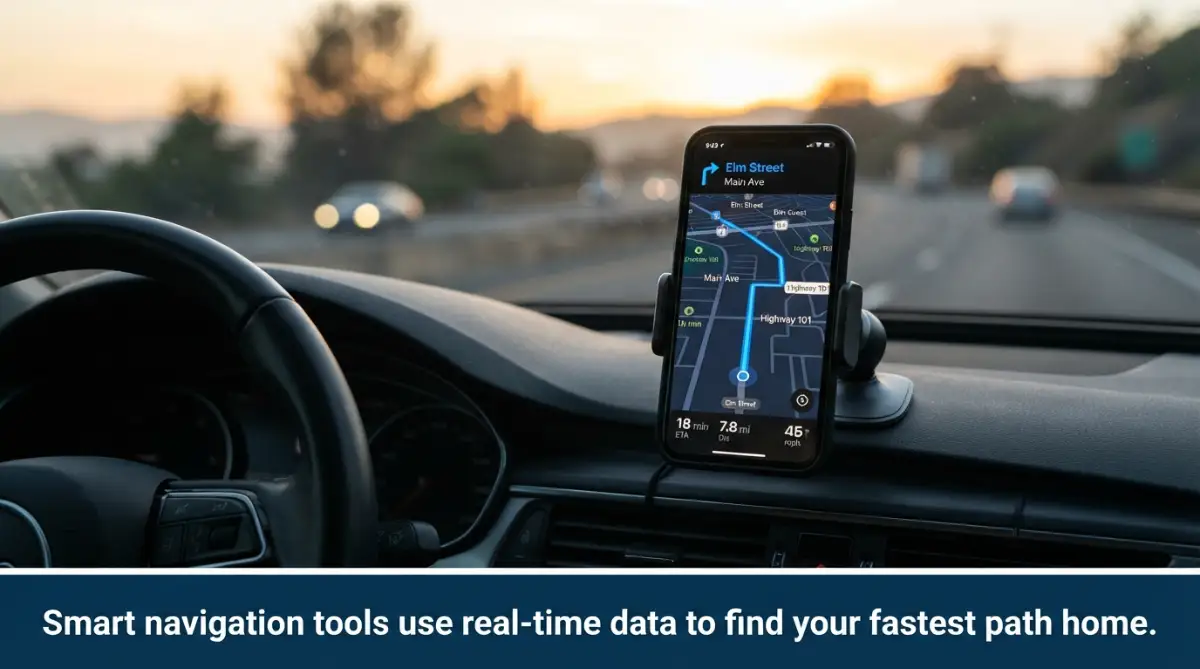
When you drive home from work, your map app does not just show you the roads. It actively predicts how long your journey will take and suggests faster alternative routes. This is possible because the app is constantly gathering speed data from thousands of other drivers on the road.
If you want to see exactly how these smart maps predict your arrival time and save you hours of driving, watch this quick video.
If the app notices that hundreds of phones have suddenly slowed down on a highway, it knows a jam has formed. It quickly calculates a new route for you through quieter side streets to keep you moving. This real-time problem solving saves drivers millions of hours of traffic delays every single week.
Actionable Steps to Take Back Control of Your Tech
Now that you understand how these systems work, you do not have to let them run your life. You can take simple, practical steps to manage these smart tools and protect your personal space. Here are three easy ways to make modern software serve your needs on your own terms.
Your first step is to manage the amount of data you share with your apps. Go into your smartphone settings and look at the permissions for each application. Turn off location sharing for apps that do not actually need to know where you are.
You can also turn off personalized ad tracking in your phone's privacy settings. This prevents apps from sharing your search history with outside advertising companies. It is a simple way to reduce those creepy ads that seem to follow you around the internet.
You have the power to actively train the smart systems that decide what you see online. If an app shows you a video or post that you dislike, do not just scroll past it slowly. Use the options menu to click "not interested" or block that specific topic.
My own biggest mistake was letting my video streaming app run all night while I slept. It completely ruined my suggestions page for weeks by showing me random shows I had no interest in watching. Now, I always turn off autoplay to keep my personal feed clean, accurate, and highly useful.
Many people ignore the smart voice assistants built directly into their phones and home devices. You can use these tools to handle small, repetitive tasks that usually distract you. Try speaking to your device to set reminders, add items to shopping lists, or send quick text messages.
This keeps you from opening your phone screen, which often leads to aimless scrolling on social media. It allows you to stay focused on your real-world tasks while still getting the benefits of smart software. You will find that you save a lot of time by simply speaking your daily tasks.
The Simple Truth About the Future of Smart Software
As we look ahead, it is clear that these smart tools are here to stay. They will continue to become a larger part of how we work, travel, and connect with loved ones. However, understanding how they work removes the mystery and gives us back our peace of mind.
We do not need to fear these tools when we realize they are just highly advanced calculators. They can spot patterns and suggest routes, but they can never replace human creativity, empathy, and real-world connection. By taking control of our settings, we can enjoy the convenience of modern software without losing our personal freedom.
Practical Strategies to Master Smart Software Every Day
To make the most of smart technology in your daily life, you need to understand how to guide these systems. When you interact with a smart tool, the clarity of your input determines the quality of your output. It is just like giving instructions to a new assistant who is eager to help but needs exact details to perform well.
Speak the Language That Smart Tools Understand
Many people get frustrated with conversational tools because they ask vague questions. If you ask a system to "help me organize my day," you will get a generic, unhelpful answer. Instead, you need to provide specific context, your daily goals, and any limits you have.
Learning how to write better AI image prompts for perfect results is an excellent way to practice this level of clarity. When you write detailed prompts for images, you learn how to use descriptive adjectives and structured formats. This same skill applies directly when you talk to smart writing tools, search engines, or custom virtual helpers.
Always specify the tone you want, the target audience, and the exact format of the final response. For example, tell your tool to write a friendly email using short bullet points. This keeps the software from guessing what you want and ensures you get exactly the right helpful response.
Set Up Automatic Workflows for Your Business
If you run a small business or work from home, repetitive tasks can take up hours of your time. You can use smart software to connect your favorite apps and automate your daily checklist. This means your tools can automatically copy emails, sort documents, and update your calendars without you lifting a finger.
For those wanting to grow, learning how to automate business workflows using AI a simple guide is the best starting point. This process allows your systems to handle data entry while you focus on creative decisions. It is like building a digital pipeline that keeps your business moving forward smoothly.
In addition to workflow pipelines, tracking customer interactions is another area where automation saves energy. You will find that learning how simple CRM software can save your growing business keeps your client list organized. According to data research on organizational automation from Stanford University, small teams that automate administrative tasks reduce their weekly stress levels significantly.
Keep a Clean Digital Footprint
Because modern apps learn from your past actions, keeping your account histories clean is very helpful. If you let other people use your profiles, the recommendations page will quickly become a chaotic mess. You should set up separate profiles for family members, especially on video and music platforms.
Regularly cleaning out your browser cache and review history also resets the basic prediction patterns of these tools. This simple trick allows you to search for new ideas without being pulled back into your old viewing habits. It gives you a fresh start and stops apps from keeping you stuck in a loop of the same old content.
To keep your personal data secure, you can explore trusted privacy tips on Trust Picks HQ. You can also visit safety guides on the Federal Trade Commission website to see how to stop third-party apps from sharing your location. Taking charge of your digital footprint protects your peace of mind and keeps your smart assistants working safely.

The Hidden Traps of Relying Too Much on Smart Systems
While modern software can make our lives incredibly smooth, there are serious dangers to letting these tools run on complete autopilot. Many people fall into patterns that quietly hurt their mental habits and daily decisions. Knowing these traps will help you keep a healthy relationship with your devices.
Losing Your Natural Edge to Autopilot
When you always let a smart map find your way, your natural sense of direction slowly begins to fade. The same thing happens when we let predictive keyboards write all our thoughts and messages. We stop practicing our natural skills because we are letting machines do the basic work for us.
This reliance is one of the 5 simple everyday habits that secretly drain your brain power without you even noticing. When we stop memorizing simple facts, our mental focus and memory muscles grow weaker. We must make a conscious effort to think for ourselves before asking our phones for the quick answer.
Try solving simple math equations in your head instead of opening a calculator app immediately. Walk around your local neighborhood without staring down at a glowing map screen. These small, daily challenges keep your mind sharp and ensure you remain the master of your own mental processes.
The Danger of Financial and Life Planning Blindspots
Another major mistake is letting simple computer models make major life choices for you. Automated estimators are helpful for quick numbers, but they do not understand the deep realities of your unique situation. This is especially true when you are dealing with job changes, health benefits, or complex family insurance.
For example, understanding what happens to your health insurance coverage when changing jobs mid-year requires careful human planning. If you only rely on a basic web tool, you might miss fine print regarding waiting periods. For accurate information on national health policy rules, it is always best to check official resources like HealthCare.gov.
The same issue arises when estimating your future security needs without expert human guidance. Determining how much disability insurance do you need a simple guide can point you in the right direction, but personal factors matter. A standard computer system cannot predict your unique physical requirements or long-term health risks.
Similarly, business owners must be careful not to rely entirely on automated property estimates. You should explore smart ways to avoid commercial property insurance gaps to keep your physical assets fully protected. Smart software is a wonderful assistant, but it can never replace the cautious eye of a human expert.
Your Personal Action Plan for a Balanced Smart Life
Taking control of your technology does not mean throwing away your smartphone or living off the grid. It simply means choosing to use these smart tools with clear intention. By setting small boundaries today, you can enjoy a highly organized lifestyle while keeping your human independence fully intact.
- Turn off notifications for all non-essential apps so your phone stops demanding your attention every five minutes.
- Dedicate one hour each day to completely screen-free activities, like reading a physical book or walking outside.
- Ask your smart speaker questions only when you truly need a fast answer, rather than letting it play background noise all day.
I used to feel completely overwhelmed by the constant stream of recommendations popping up on my screens. Once I started actively managing my settings and taking regular screen breaks, my focus returned almost instantly. You have the power to turn these tools into quiet helpers that wait for your command, rather than loud voices that run your day.
Common Questions About Smart Tech in Daily Life
How does my phone know what I want to type next?
Your phone uses a simple pattern-matching system that studies the words you use most frequently. It looks at the word you just typed and checks its database to see which word usually follows it in your past messages. This allows it to make a highly accurate guess, speeding up your typing process over time.
Is smart software constantly listening to my private conversations?
Smart assistants are designed to wait for a specific wake word before they start recording your voice. They keep a tiny, local buffer of audio that constantly overwrites itself until they hear that specific phrase. You can turn off microphone permissions in your phone's main settings if you want complete peace of mind.
Why do different people see different prices or recommendations online?
Online systems customize your shopping and viewing feeds based on your past clicks, location, and search habits. If you browse luxury items often, the software will show you premium recommendations. You can view a neutral version of any website by opening an incognito browser window.
Can smart tools replace human jobs entirely?
While automated tools are excellent at organizing data and handling repetitive tasks, they lack human qualities. They cannot feel empathy, think creatively out of the box, or build deep personal relationships. These tools are designed to assist human workers, not completely replace the human touch.
Disclaimer:
This article is for informational and educational purposes only. It does not constitute professional advice regarding data security, software engineering, or financial planning. Always consult with certified technology experts or professional financial advisors before making major security or insurance decisions.