Why We Are Wrong About VR: The Hidden Truth About This Technology
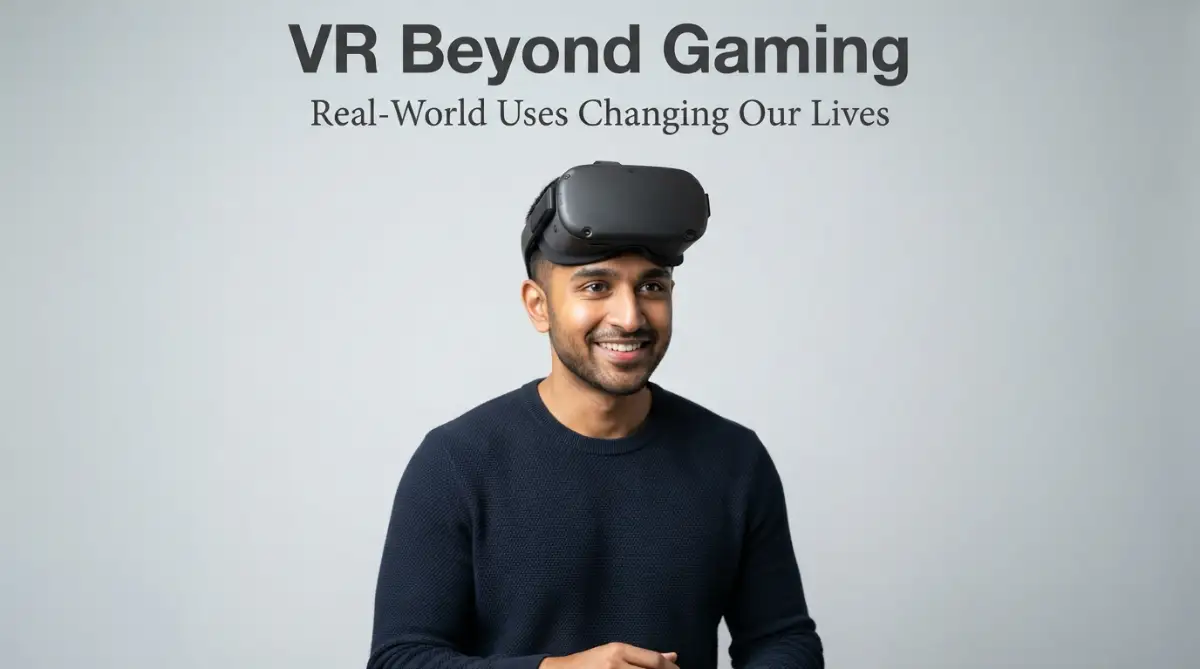
I used to think virtual reality was just a fancy toy for teenagers playing shooter games. My own journey with it started when my nephew bought a cheap plastic headset for his console. I tried it for ten minutes and felt incredibly dizzy, so I put it away in a dark closet.
That night, I truly believed this technology had no future in the serious world. But my view changed completely a few months later when my sister, who works as a nurse, invited me to her hospital. I saw her colleagues preparing for a complex heart surgery using a high-tech headset.
They were moving digital organs with their hands, practicing every cut before entering the real room. I stood there with my mouth open, realizing how wrong I had been about this technology. It is not just for entertainment; it is changing how we heal, learn, and build.
Many of us are still stuck in this old way of thinking. We feel trapped in boring, traditional learning systems that rely on thick textbooks and dry lectures. It is hard to understand complex ideas just by looking at flat black-and-white drawings.
This old method leaves us feeling stressed, confused, and slow to learn. Imagine a young medical student staying up all night trying to memorize how a human brain works. They feel immense pressure because one small mistake in the future could cost a human life.
The fear of failure hangs over their head like a dark cloud, stealing their peace of mind. They desperately want to practice, but real bodies are expensive and hard to find. It is not just students who are hurting under this old system.
Workers in dangerous jobs, like power plant operators or firefighters, face a similar struggle. They are forced to learn safety rules from thin paper manuals. When a real emergency happens, fear takes over and they freeze because they have never actually lived through the situation.
This lack of practical practice makes us feel helpless and worried about our jobs. We want to do our best, but our training tools are simply not good enough. It is time to look beyond the screen and find a better way to learn.
How We Can Use VR to Solve Real World Problems
Healing Patients and Training Doctors in Virtual Rooms
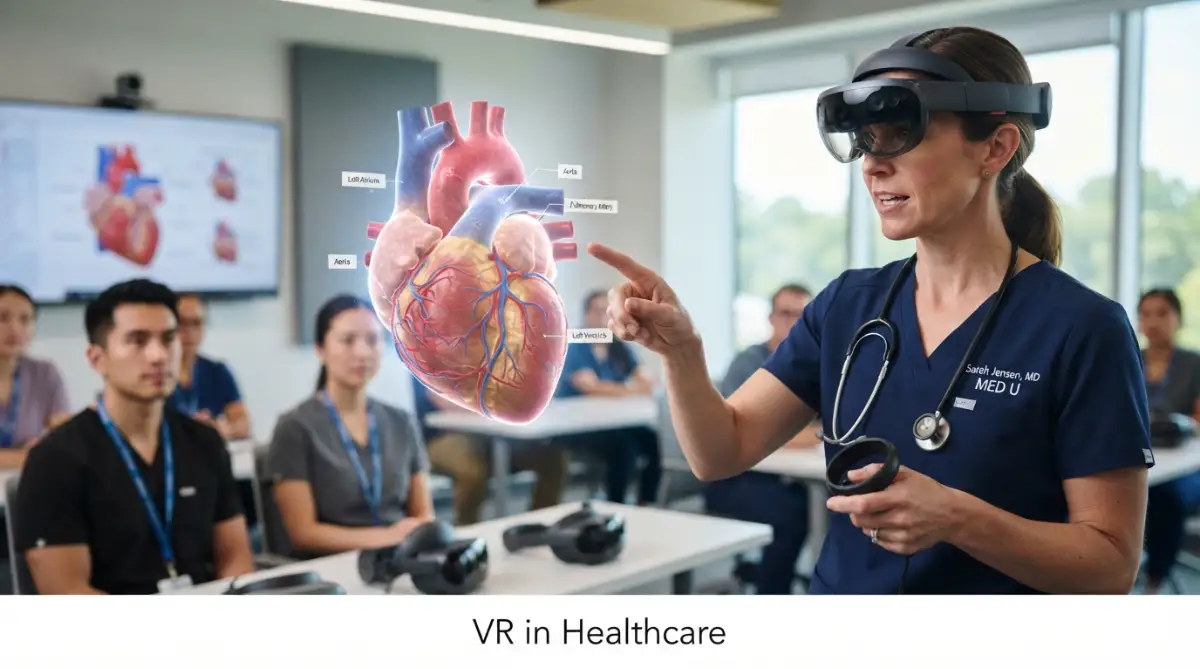
Medical training is changing rapidly because of this technology. Surgeons can now practice difficult procedures a hundred times before they touch a real patient. This hands-on practice makes them much more confident and reduces mistakes.
We also see amazing results in helping people overcome deep fears. Patients with a fear of heights can stand on virtual balance beams in a safe office. Their brains learn to stay calm without any actual danger.
This tool is also helping people manage physical pain. Some hospitals use peaceful virtual beaches to distract patients during painful treatments. This simple trick reduces the need for heavy painkillers and helps patients heal faster.
Bringing School Lessons to Life with Immersive Classrooms
History lessons do not have to be boring lists of dates and names anymore. With a headset, students can walk through the streets of ancient Rome and talk to digital citizens. They learn by living through the history, not just reading about it.
Science classes can also become exciting adventures. Students can shrink down to the size of an atom to see how chemicals mix together. This makes difficult ideas easy to see and remember.
Want to see how students are exploring the universe from their desks? Watch this amazing video to see VR in action inside a real classroom.
[
Teachers find that students pay much more attention when they use these tools. They are not looking at their phones because they are fully inside the lesson. It turns passive listening into active doing.
Safe Training for High Risk Jobs without the Danger
Some jobs are too dangerous to practice in the real world. For example, we cannot set a building on fire just to train rookie firefighters. VR allows them to feel the heat and see the smoke in a safe room.
Pilots have used simulators for years, but new headsets make it much cheaper and more realistic. They can practice landing in heavy storms without risking a million-dollar airplane. This keeps our skies much safer for everyone.
I once tried to build a small training guide for my team using cheap headsets. My biggest mistake was ignoring the comfort of the users, which made them dizzy. Make sure you buy headsets with high refresh rates to keep your team comfortable.
Designing Buildings and Products in Virtual Space
Architects used to rely on blue paper drawings and plastic models to show their work. Now, they can walk their clients through a house before the foundation is even poured. Clients can change the kitchen wall with a simple hand wave.
Car makers are also using this tool to design safer vehicles. Engineers can sit inside a digital car and test where the buttons should go. This saves months of building physical prototypes that just get thrown away.
It also helps teams who are working in different parts of the world. An engineer in Tokyo and a designer in London can work on the same model together. They do not need to fly across the ocean to share their ideas.
Making Remote Work Feel More Human and Connected
Working from home can feel lonely and disconnected [1]. Video calls often feel cold because we are just looking at flat boxes on a screen. Virtual offices let us sit next to our coworkers as digital avatars.
We can share a virtual whiteboard and write down ideas together in real time. It brings back the casual watercooler chats that build strong team bonds. This makes remote work feel much more like a real community.
Many companies find that this boosts team spirit and keeps workers happy. People feel more involved when they can see body language and hand movements. It bridges the distance between home and office.
Comparing Old School Training with Virtual Reality
It is helpful to see how these two methods compare side by side. Here is a simple breakdown of how traditional learning matches up against virtual reality tools. This will help you decide which one works best for your team.
As you can see, the digital option offers clear benefits for modern learning. While the initial setup takes some effort, the long-term rewards are well worth it. It changes how we gain new skills.
Real Estate and Virtual Tours: Buying Houses from Your Couch
Buying a new home often means driving around for hours every weekend. You have to visit many properties, which takes a lot of time and gas. VR tours let you walk through houses on the other side of the country.
You can feel the actual size of the rooms and see the view from the windows. This helps you narrow down your choices before you ever travel to the physical site. It saves time for both the buyer and the seller.
Many real estate agents say this tool helps them close deals much faster. Buyers feel more confident because they can revisit the virtual house as many times as they want. It makes the whole buying process simple and stress-free.
Military and Defense: Preparing Soldiers for the Unpredictable
Soldier training requires high safety standards and intense preparation. Using real ammunition and vehicles is expensive and carries serious risks. Virtual training spaces allow soldiers to practice teamwork in difficult scenarios.
They can learn how to navigate unknown cities or handle medical emergencies under pressure. The system can recreate complex environments like dark forests or hot deserts easily. This builds muscle memory without placing anyone in real danger.
This advanced training saves money in fuel and equipment costs every year. It ensures that teams are fully prepared for any situation they might face. Safety and readiness go hand in hand here.
Space Exploration: Testing Missions before Leaving Earth
Astronauts cannot easily practice walking on Mars or fixing satellites in open space. NASA uses virtual environments to prepare their teams for zero gravity. They practice complex repairs on digital space stations for months.
This preparation is highly important because a single loose screw can ruin a space mission. Astronauts learn how to react when things go wrong in a controlled environment. It turns space walks into familiar tasks.
We are using these same tools to design the next generation of space suits and rovers. Engineers can test how easy it is to move in a virtual Martian environment. It brings us one step closer to the stars.
Physical Therapy and Rehabilitation: Rebuilding Movement Safely
People recovering from strokes or accidents often find physical therapy painful and boring. They have to repeat the same small movements hundreds of times to retrain their brains. VR games make this hard work feel like play.
A patient might reach out to grab a virtual balloon or kick a digital ball. The software tracks their progress and makes the tasks slightly harder as they get stronger. This keeps them motivated to continue their daily exercises.
Therapists can see exact data on how far the patient can move their arms or legs. This helps them adjust the therapy plan to fit the patient's exact needs. It turns recovery into a much more positive experience.
Art and Museum Tours: Traveling the World from Your Living Room
Not everyone has the money or time to travel to Paris to see famous museums. Virtual tours allow anyone with an internet connection to stand in front of famous paintings. You can look at the fine brushstrokes without the crowd.
Artists are also using this medium to create giant three-dimensional sculptures. They can paint with light and fire on a digital canvas that has no physical limits. It opens up completely new forms of human expression.
This technology makes culture and art open to everyone, regardless of where they live or their physical abilities. It connects us to human history in a deeply personal way. It brings the world's treasures to your doorstep.
How to Choose the Right VR Setup for Your Specific Needs
If you want to start using these tools, you need to understand your options first. There are simple headsets that work with your phone, and powerful ones that connect to a computer. Your choice depends on what you want to achieve.
For basic training or simple tours, a standalone headset is often the best choice. It is easy to use, does not need extra cables, and is highly portable. You can take it anywhere to show your work to clients.
If you need high-end graphics for design or surgery practice, you will need a PC-powered headset. These systems offer incredible detail and smooth movement but cost more money. Take time to think about your goals before spending your budget.
The Path Ahead: What to Expect Next in this Technology
The headsets we use today will look very heavy and bulky in a few years. Future devices will be as light as normal glasses, making them easy to wear all day. They will also have better screens that look exactly like real life.
We will also see improvements in touch feedback, allowing us to feel the shape and texture of digital objects. This will make training even more realistic and helpful for complex tasks. The line between real and digital will continue to fade.
By adopting these tools early, you can stay ahead of the curve in your work or study. It is not just about entertainment anymore; it is about building a smarter way of living. Let us welcome these changes with an open mind.
Expert Strategies for Long-Term VR Success
Moving from basic understanding to advanced implementation requires a clear plan. If you want to use this digital environment for your business or school, you must build a strong foundation. This approach helps you get the best value from your equipment over a long period.
One great way to start is by selecting affordable and open system packages. Many smaller teams think they need to write expensive software from scratch, but that is not true. Instead, you can save money by using open source tools for small business to manage your projects and workflows easily.
Another major secret is focusing heavily on user comfort during training sessions. If your team members feel sick or dizzy after five minutes, your program will fail. You should keep training sessions short and give people plenty of breaks to rest their eyes.
Designing Detailed Workspaces with Advanced Prompts
To get better visuals without slowing down your computers, you must learn to create clear and detailed media files. You can find useful guides on how to write better AI image prompts to generate amazing digital spaces. These prompts help you design training environments that look incredibly realistic.
It is also a good idea to look at how data trends can help you predict your future needs. By studying how users interact with your digital setups, you can improve your software over time. Understanding how machine learning predicts future trends can give you a major advantage when planning your budget.
If you want to keep your business running smoothly, you should also connect your virtual setups to simple automatic systems. This allows you to handle administrative work without manual effort. You can learn how to automate repetitive office tasks to keep your team focused on the actual training.
Practical Engineering and Safety Solutions
For those working in construction or home design, these virtual systems are changing everything. You can walk through a planned room remodel to check for spacing issues before you build anything. This is important because any major mistake in home construction can cause serious issues, just like how a bad home renovation planning and home insurance issue can cost you a lot of money.
If you work in transport or driver training, you can use these systems to simulate car accidents safely. This helps drivers learn how to react in dangerous situations without any actual physical risk. If they ever get into a real accident, they will know how to handle the situation and how to negotiate lowball car insurance offers with confidence.
To read more about various tech reviews, you can check out the technology platform TrustPicksHQ for more resources. Having access to high-quality tech guides makes your digital journey much easier and more successful. It helps you pick the right gear without wasting your hard-earned money.
Learning from Professional Research and Real Projects
When setting up advanced programs, looking at academic and scientific research is very helpful. For example, many universities publish clinical research on virtual medical training to show how it improves doctor accuracy. Reading these studies helps you design lessons that actually work in real life.
Even space agencies use these advanced setups to prepare their crews for difficult missions off our planet. You can learn from official space training methodologies to see how they handle safety and teamwork in high-stress situations. These exact methods can be used to make your local team much stronger.
Finally, you must keep your virtual libraries and software tools updated regularly. Old software often crashes and can create security holes in your business computer systems. Setting a monthly calendar reminder to check for updates is a simple habit that saves a lot of headaches.
Keeping Your Team Safe with Modern Safety Standards
When you use digital training in a workspace, you must also follow state safety rules. It is helpful to search for government standards, like occupational safety guidelines and simulation to make sure you protect your staff. These guidelines will help you build a training program that is both useful and legally safe.
You should write down clear instructions on how to handle the headsets and clean them after each use. Since multiple people share the same gear, keeping the lenses and straps clean is important for health reasons. Using simple hygienic wipes is a cheap and easy way to keep your team healthy.
Creating a Smooth Learning Curve for Non Technical Users
Not everyone on your team will be comfortable with high-tech gear right away. Some of your older workers might feel intimidated by the buttons and menus on the screens. You can help them by creating a very simple introduction guide that explains the basic controls step by step.
You can also set up a buddy system where tech-savvy workers help those who are struggling. This builds strong relationships between your team members and reduces training anxiety. It turns a scary technical task into a fun team-building activity.
Traps and Missteps in Virtual Training Programs
Many people get so excited about this technology that they run headfirst into serious traps. They spend thousands of dollars on expensive headsets without checking if their computers are strong enough to run them. This simple error leaves them with costly plastic boxes sitting in drawers, completely unused and wasted.
Another major trap is focusing too much on flashy graphics instead of actual training goals. A beautiful digital room is completely useless if the lessons inside it do not teach real skills. You must make sure your software matches your learning goals, or your team will just treat it like a video game.
We also see companies ignoring physical safety when they set up their training areas. Users wearing headsets cannot see the real walls, tables, or electrical cords around them. If you do not clear a large, open physical space for training, someone will eventually trip and get seriously hurt.
The True Cost of Neglecting Safety and Training
This lack of safety planning can lead to painful injuries and broken equipment. It also ruins the trust of your team, making them afraid to use the headsets ever again. You must treat the virtual room with the same respect you give to a real factory floor.
Many leaders also make the mistake of skipping proper staff training for the instructors. They buy the gear and expect their teachers to know how to use it immediately. This causes deep frustration and makes the teachers feel dumb, which slows down the entire learning process.
To prevent this, you need to teach your instructors first before you let the students touch the headsets. Give them time to play with the gear, make mistakes, and learn how to fix basic technical issues. This small step turns them into confident guides who can help others succeed.
Physical Health and Pacing Pitfalls
Lastly, some groups try to run their virtual sessions for hours at a time without stopping. This is a terrible idea because human eyes and brains are not built for long digital sessions. It leads to severe headaches, eye strain, and physical sickness that can last for days.
If your team members get sick during training, they will connect the technology with pain. This emotional block is very hard to fix once it is created. You must protect their health by keeping sessions short and sweet.
Ignoring the Importance of High Quality Content
Some groups buy the best hardware available but try to save money by using free, poorly designed software. This is a massive mistake because bad software will make the entire training program feel cheap and useless. Your workers will quickly lose interest if the virtual tasks feel unrealistic or buggy.
You should spend just as much time picking your software as you do picking your headsets. Look for programs that offer clear progress tracking so you can see how your team is improving. High-quality content makes the training more enjoyable and helps your team retain information much longer.
Failing to Track Your Return on Investment
If you do not track how much time and money you are saving, you will not know if the program is working. You should measure how fast your workers learn new skills compared to traditional methods. This data is key when you need to prove to your company board that the headsets are worth the cost.
You can track metrics like error rates, safety incidents, and overall training speed to show the benefits. When you show clear proof of success, it becomes much easier to get budget approval for future tech updates. Do not let your program run in the dark without proper tracking.
Building a Better Way of Learning and Working Together
This technology is no longer a futuristic dream or a simple toy for gamers. It is a powerful tool that is actively saving lives, protecting workers, and making classrooms fun. By stepping into this digital space, you are opening up better ways to train and work.
You do not need a massive budget to start your own digital training journey. You can start with simple, affordable tools and grow your library as you learn what works best. The key is to take action today and stop relying on outdated, paper-heavy training methods.
My own journey with this technology taught me that physical comfort is just as important as fancy screens. Once I stopped focusing on the flashy graphics and started focusing on real-world safety, my team saw amazing results. I encourage you to dust off your curiosity, try a headset, and see how it can change your daily work.
Disclaimer: The information in this article is for educational and informational purposes only. Always consult with technology experts and occupational safety officers before implementing new hardware or software systems in your business, school, or home environment.
Answers to Your Questions About Real World VR
Can virtual training cause permanent eye damage?
There is no scientific evidence showing that these headsets cause permanent damage to your eyes. However, using them for too long without breaks can lead to temporary eye strain and headaches. To keep your eyes safe, you should follow the simple rule of taking a break every twenty minutes.
Is it expensive to set up virtual training for a small business?
It does not have to cost a fortune to start using these tools. Many standalone headsets are highly affordable and do not require a powerful computer to run. You can start with basic software and expand your setup as your business grows.
How do I stop feeling dizzy when using a VR headset?
Dizziness usually happens when the movement on the screen does not match your physical head movements. You can prevent this by using modern headsets with fast screen refresh rates. It also helps to start with short sessions of five minutes and slowly build your tolerance.
Can virtual classrooms replace physical schools?
These digital tools are meant to support teachers, not replace them entirely. They make difficult lessons easier to understand by showing 3D models of complex topics. However, students still need real human contact and real classrooms to develop social skills.