
The Daily Mess of Managing a Distributed Team Without the Right System
I still remember the night I almost quit my job as a remote project leader. My inbox was overflowing with seventy unread emails, and my chat app was buzzing every two seconds with questions from angry clients. I spent three hours just searching for a simple document that a teammate had sent me the day before.
It felt like I was swimming in a sea of endless digital noise, completely lost and unable to breathe. My head was spinning because I had no idea who was doing what, and we were missing important project deadlines almost every week.
I was using a basic spreadsheet to track our tasks, but people forgot to update it. The spreadsheet became a graveyard of old plans that did not match our real day-to-day work.
My team was constantly stressed out because they did not have clear goals or directions. We were working longer hours, but we were achieving less every single week.
This was the painful reality of my remote work life before I discovered a better way to manage tasks. I knew that if I did not find a real solution quickly, my team would fall apart completely.
If you are managing a remote team right now, you probably know this exact feeling of quiet panic. You wake up every morning wondering if someone missed an important task or if a major project is quietly sliding off the rails.
The constant worry can easily keep you awake at night, making it impossible to truly rest. You spend your weekends thinking about whether your team members are actually working or just waiting for your next message.
It is exhausting to constantly ask people for quick updates just to see if they are on track. This style of work ruins your peace of mind and makes your team feel micromanaged.
The real problem is not your team's work ethic or your daily leadership skills. The real problem is that you are using basic communication tools to do a job that requires structured system design.
When you rely on group chat to track your goals, details will always slip through the cracks. Chat is great for quick jokes, but it is terrible for keeping projects organized over several weeks.
You need a single home for your work where everyone can see the big picture at a glance. Let's explore how we can build this home and bring peace back to your working days.
How to Turn Remote Work Confusion Into Structured Success
Before you download any new app, you must understand how your work actually flows from start to finish. You cannot fix a broken process by simply throwing a new software tool at it.
Sit down and list the main stages that every project goes through in your office. For most teams, this looks like planning, active work, review, and finally, completion.
Keep these stages as simple as possible so that your team does not get confused. A simple workflow is much easier to maintain than a complex one with too many rules.
Once you have these stages in mind, you can set up a visual board to represent them. This visual setup will help everyone see where tasks are getting stuck.
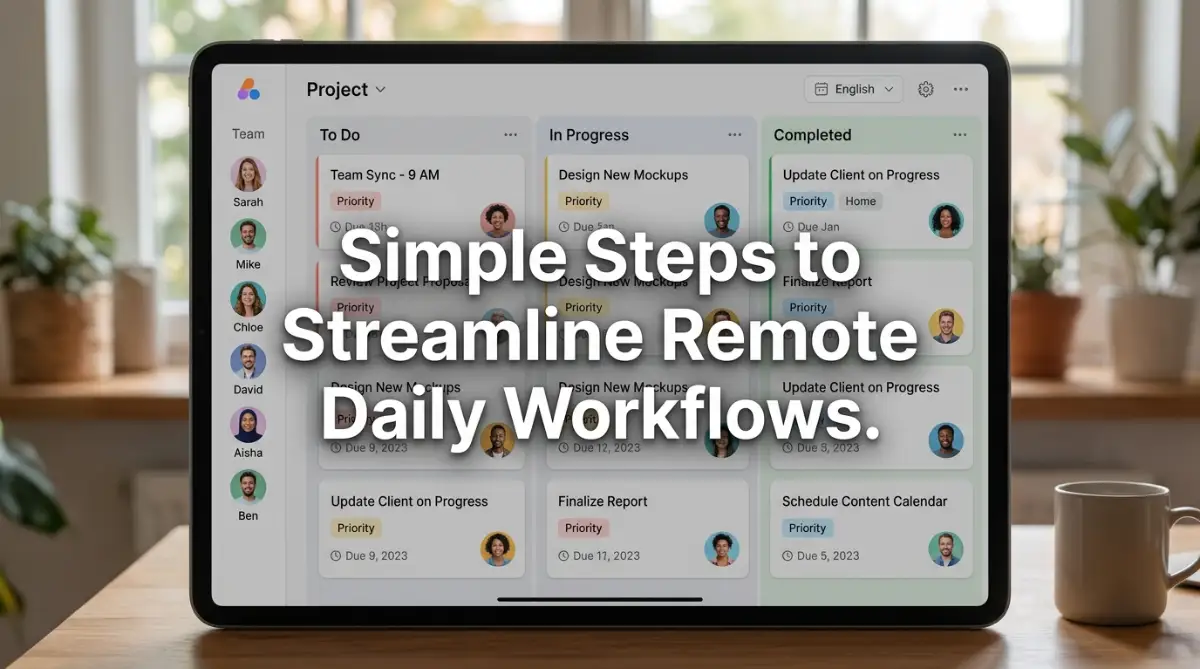
The most popular way to track tasks visually is by using a system called Kanban. It uses simple columns and movable cards to show the status of each job.
Think of each card as a package that holds all the information about a specific task. Inside the card, you can put the description, files, deadlines, and team discussions.
This prevents your team from having to look through three different apps to find a file. Everything they need to finish the job is right there in one single place.
When someone starts working on a task, they simply drag the card to the next column. This small action gives the entire team an instant, quiet update without anyone needing to send a message.
Many remote teams fail because they talk too much and document too little. They hold long daily meetings that could have been simple status updates on a project board.
You must teach your team to keep project talks inside the actual task cards. If someone has a question about a design, they should comment directly on the design card.
This keeps the conversation focused and allows other team members to see the decisions made. It also means that new team members can catch up quickly without asking you for a summary.
Try to limit live meetings to once or twice a week for high-level planning. Let your project management software handle the rest of the daily coordination.
My Personal Realization:
I used to host daily stand-up meetings that lasted for forty minutes every single morning. I realized my team hated these meetings because they felt like check-ins to prove they were working. Once we switched to a simple visual board, we cut our meeting time down to just fifteen minutes a week, and our productivity went up immediately.
There are hundreds of tools available, and it is easy to get distracted by flashy features. However, the best tool is always the one that your team actually enjoys using every day.
If your software is too complicated, people will quietly stop using it and go back to sending direct messages. Start with a simple tool first and only add advanced features when you truly need them.
Let us look at some of the most popular choices that remote teams use to keep their work organized. Each of these options has unique strengths depending on how your team operates.
To help you make a smart decision, I have compared four of the most widely used tools. They all offer free plans so you can test them with your team before spending any money.
If you want something that requires zero training, Trello is usually the safest bet. It feels like moving sticky notes on a digital whiteboard, making it very friendly for beginners.
For teams that have many moving parts and need to see how projects connect, Asana offers great timeline views. It helps you see the dependencies between different tasks easily.
If you love having your documents, tasks, and goals in a single platform, ClickUp is incredibly powerful. Just be prepared to spend some time setting it up to fit your team.
Many managers believe that buying software will instantly solve their communication problems. This is a common myth that often leads to wasted money and frustrated employees.
Software is only a tool; it cannot fix a broken team culture or bad management habits. If your team does not trust each other, they will not use the tool honestly.
Another myth is that you need to track every single minute of your team's day to ensure they are working. This type of tracking creates anxiety and kills creative thinking.
Focus on the results and the progress of the cards rather than the exact hours spent at the keyboard. Trust your team, and use the software to support them, not to police them.
Sometimes, seeing how a board is set up can make everything click. This video walks you through a clean setup that you can copy for your own team today.
Watch this clear and simple demonstration to see how easily you can organize your daily remote tasks without feeling overwhelmed.
Once you see a working board in action, you will realize how much time you have been wasting on emails. It makes the transition much smoother for everyone involved.
When you introduce a new tool, expect some pushback from your team members. Change is always hard, even when the new way is much better than the old way.
To make the transition easier, select one or two team members to test the tool with you first. Let them help you set up the initial templates and boards.
Once the basic structure is ready, host a short training session to show the rest of the team how to use it. Explain clearly how this new system will save them time and reduce their stress.
Make a rule that if a task is not on the project board, it does not exist. This encourages everyone to keep the board updated and makes it the single source of truth.
Your team will grow, and your workflows will change over time. Your project board should change with you rather than staying frozen in place.
Set aside ten minutes at the end of every month to ask your team how the system is working. Find out if any columns are confusing or if certain steps feel unnecessary.
Keep simplifying your setup whenever you can. The less friction there is to update a task, the more reliable your project data will be.
Remember that the ultimate goal is to spend less time managing the tool and more time doing great work. A successful system should run quietly in the background of your business.
Tools are nothing without the human connection that binds your remote team together. You must actively work to keep team spirit alive even when you are miles apart.
Use your project software to celebrate small wins and praise good work publicly. A simple comment thanking someone for a job well done can make their entire day.
Encourage your team to share interesting articles or personal updates in a designated space. This helps build the social bonds that are often missing in remote workspaces.
When people feel connected and valued, they naturally take more ownership of their tasks. This leads to cleaner boards, fewer missed deadlines, and a much happier team.
You now have a clear roadmap to take your team from digital chaos to organized success. Take the first step today by choosing one simple tool and testing it out with a small project.
Your peace of mind and your team's happiness are well worth the effort of setting up a proper system. Start small, stay consistent, and watch your remote collaboration transform.
Pro Tactics for Masterful Work Organization
Scaling a remote workspace requires more than just picking a basic platform from a list of recommendations. You need to implement smart methods that help your team work together without constant intervention. Let us look at the advanced tactics that can help you maintain high performance over the coming months.
Adopt Asynchronous Work Patterns
Asynchronous communication is the practice of sending messages that do not require immediate replies. This approach allows your team members to focus deeply on their tasks without constantly checking for new alerts. When you protect their focus, you will see a massive jump in the quality of their creative work.
To make this work, you must set clear expectations about response times. For example, you can tell your team that non-urgent project comments only need a reply within four hours. This simple rule takes the pressure off your employees and allows them to manage their daily schedules with real freedom.
Connect Your Workspace Apps
Your project management software should not exist in a quiet corner by itself. You can connect your task board to your email, chat apps, and document storage to build a smooth digital workflow. This connection ensures that when you update a task card, the information travels to all other related apps instantly.
If your team is operating on a tight budget, you can decide on switching to open-source software tools to save money while maintaining control over your internal database. These open platforms often allow for deep integrations that expensive commercial systems lock behind paywalls. Connecting your tools prevents your team from wasting hours manually copying data from one screen to another.
Analyze Your Team Performance Metrics
Most modern workspace platforms come with built-in analytics dashboards that show you how work is moving. You should check these charts weekly to see if certain tasks are taking much longer than expected. This data helps you spot hidden blockages in your production line before they cause major delays.
Tracking these numbers is similar to how predictive algorithms analyzing large datasets can show trends before they happen in other business sectors. By watching your completion rates, you can accurately predict when a project will actually finish. This allows you to set realistic expectations with your clients and build long-term trust.
Establish Strict Workspace Boundaries
When employees work from home, the line between personal life and professional life often becomes very blurry. You must encourage your team to set strict hours for when they are active on the project board. When someone is off duty, they should not receive notification sounds or feel pressured to check their progress cards.
This healthy boundary is supported by peer-reviewed studies by economic researchers at Stanford University, which show that overworked remote employees quickly lose their creative spark. Giving your team the permission to unplug actually protects their long-term output and mental well-being. A happy, rested team will always deliver better results than an exhausted one.
Create a Central Asset Library
Nothing wastes more time in a remote office than searching for lost logo files, contract templates, or brand guidelines. You should build a designated space on your project board that serves as your team’s central asset library. This library should hold only the final, approved versions of your most important files.
When team members know exactly where to find resources, they do not have to interrupt others with simple questions. This setup works exceptionally well when you write highly descriptive titles for every stored folder. Think of this organization as a digital filing cabinet that is open and perfectly arranged for everyone on your team.
Implement Weekly Task Audits
At the end of every week, take fifteen minutes to review the active tasks on your digital board. Look for any cards that have been sitting in the active column for more than five days without any updates. This visual check helps you identify team members who might be struggling quietly with a difficult assignment.
Instead of demanding a fast update, approach these team members with an offer of support and guidance. This simple practice shows your team that the board is a tool for support rather than a system for monitoring them. It builds a healthy culture where people are not afraid to admit when they are stuck on a project.
Reward Transparency and Honest Statuses
Many remote workers feel pressured to mark their tasks as green or completed even when they are falling behind. You must actively reward employees who are honest about their progress, even when things are going slowly. Let your team know that seeing a red status card early is much better than discovering a major delay on the final due day.
When you create a safe space for honesty, your project data becomes much more reliable. This reliable data allows you to adjust your plans and resources before a small issue turns into a costly business emergency. Honest project boards are the foundation of any successful distributed team.
Write Highly Descriptive Card Instructions
When you assign a task to a remote worker, your written description must be incredibly clear and detailed. You cannot rely on hand gestures or quick voice comments to explain what you need. Write down the exact requirements, the target audience, and the visual format you expect for the finished product.
Writing these detailed descriptions is just like designers focus on learning better design prompt formulas for their work to get accurate outputs. When you give your team detailed instructions, you drastically reduce the need for revisions. This saves everyone time and ensures that the final product matches your vision on the very first try.
Simplify Your Automation Workflows
Modern project apps allow you to set up rules that automate simple actions, like moving a card when a box is checked. While these rules are helpful, having too many of them can make your board feel confusing and unpredictable. Start by setting up simple office task automation methods to reduce manual work without making the board too complex.
A great starting automation is sending a simple notification to a reviewer when a task card enters the approval column. This keeps the project moving forward without requiring you to manually alert your colleagues. Keep your automation rules basic so that any new team member can understand how the board works in their first week.
Trust Your Team Instead of Tracking Minutes
Some companies use invasive tracking software to count keystrokes or record screens to prove that remote employees are working. This style of management destroys team trust and makes your best employees look for new jobs. Focus instead on the quality and timing of the work your team submits on the project board.
According to data from the U.S. Bureau of Labor Statistics, companies that trust their workers with flexible schedules often see much higher productivity levels. When you treat your employees like responsible adults, they will naturally take ownership of their tasks. Use your visual project board to track actual progress rather than tracking physical hours at the desk.

The Hidden Mistakes That Tear Remote Teams Apart
Using the Project Board as a Spy Tool
The biggest mistake a remote manager can make is turning their project management software into a tool for micromanagement. When you click on every card to see the exact minute an employee started working, you create a culture of fear. Your team will spend more time trying to look busy on the board than actually focusing on their assignments.
This constant pressure leads to high levels of workplace anxiety and reduces creative thinking. Employees will start avoiding the tool completely or doing the bare minimum just to keep their status green. Trust is the currency of remote work, and when you spy on your team, you declare that you do not trust them.
Allowing Notification Chaos to Take Over
When you set up a new project tool, it is easy to leave all notification settings turned on by default. This results in your team getting hundreds of email alerts and desktop pings every single day. This constant noise makes it impossible for anyone to focus on their real work for more than ten minutes at a time.
Over time, this digital fatigue will cause your team to ignore their notifications entirely. When they stop checking their alerts, they will miss important updates and client requests. You must teach your team how to customize their settings so they only receive alerts for tasks that directly involve them.
Letting the Visual Board Become Cluttered and Dusty
A project board only works if the information on it is fresh, accurate, and easy to read. If you allow old, finished tasks to sit in your active columns for months, your board will quickly become a messy landfill. Your team will lose faith in the system because they will not be able to tell what is actually active.
A cluttered board causes confusion and makes it incredibly difficult to see where projects are getting stuck. You must assign someone to clean up the workspace at the end of every week to keep it running smoothly. Think of your project board as a physical office desk that needs to be organized regularly to remain useful.
Failing to Train Your Team Properly
Many business owners buy expensive software and expect their team to figure it out on their own. This lack of guidance leads to different people using the tool in completely different ways, creating massive operational confusion. One employee might write long updates while another person only uploads files without any explanation.
Without proper training, your team will quickly grow frustrated and go back to using messy emails and private chats. You must create simple video guides or short documents explaining exactly how your business uses the software. This training ensures that everyone is playing by the same rules and keeping the workspace clean.
Overlooking Security and Password Protection
In a remote work setup, your project board holds sensitive information about your clients, files, and future business plans. If you do not enforce strong password rules, you are opening your business up to serious digital safety threats. This risk is highlighted in security surveys published by Forbes Advisor, which show that remote offices are prime targets for cyber criminals.
Make sure that every team member uses a unique, complex password and turns on two-factor authentication for their account. Never share login details over public chat channels or write them down in shared documents. Protecting your project workspace is just as important as locking your physical office door at night.
Replacing Real Conversations with Task Cards
While project software is excellent for tracking tasks, it should never fully replace human communication. If you only talk to your team through comments on digital cards, your relationships will quickly become cold and distant. Employees will feel like small cogs in a machine rather than valued members of a collaborative group.
You must balance your written system with regular face-to-face video calls and casual chats. Schedule brief weekly meetings where team members can catch up, share jokes, and talk about their lives outside of work. A strong human connection is what keeps a remote team loyal, motivated, and happy over the long term.
Your Practical Action Plan for Clearer Teamwork
Organizing a remote team does not have to feel like an impossible puzzle that you must solve on your own. By using simple visual boards and setting clear communication rules, you can bring order to your daily operations. This structured approach allows your business to grow smoothly while keeping your employees happy and focused.
Choosing the right project tool is simply the first step toward building a healthy and productive remote workspace. The real magic happens when you build a supportive culture that values transparency, trust, and clear communication. When your team feels trusted, they will naturally use the digital workspace to deliver their best possible work.
Implementing these modern visual tools in your business feels just like technology expanding beyond gaming environments into collaborative office spaces. It changes how we view our daily tasks and makes remote collaboration feel incredibly natural. You are not just buying software; you are building a modern workspace that supports your team’s daily success.
To make the transition smooth, always remember to start small and involve your team in every step of the decision-making process. Test different boards, simplify your columns, and do not be afraid to adjust your workflows when things are not working. With consistency and patience, your digital workspace will become the reliable engine that drives your business forward.
My own journey from digital chaos to structured success taught me that the hardest part is simply taking that very first step. I realized that my team was waiting for me to show them a better way to work together. Once I made the change and organized our tasks visually, we reclaimed our working hours and our peace of mind.
Common Questions About Remote Task Planning
How long does it take for a team to adapt to a new project tool?
Most teams need about two to three weeks to feel fully comfortable with a new digital workspace. During this transition time, you should expect some minor delays as people adjust to the new layout and rules. You can speed up this process by holding short daily feedback sessions to answer questions and fix layout issues quickly.
Should we track simple daily tasks or only major project phases?
It is always best to start by tracking major project phases to avoid overwhelming your team with too many cards. Once your employees are comfortable with the basic system, you can allow them to create smaller cards for their daily personal tasks. Keep the main team board clean and focused on high-level goals that everyone needs to see.
What should we do if a team member refuses to update their task cards?
Sit down with the team member in a private video call and ask them why they are struggling with the new system. Often, they find the software too confusing or feel that updating cards takes too much time away from their actual work. Help them simplify their settings and explain how their updates help the entire team stay on the same page.
Are free project management tools safe for sensitive business data?
Most reputable visual task tools offer excellent security features even on their free plans, including data encryption. However, you should always read the provider's privacy policy to ensure they do not sell your workspace data to third parties. For highly sensitive client work, investing in a paid plan with advanced security settings is always a smart business choice.
How can we keep remote employees from feeling overwhelmed by notifications?
Encourage your team to turn off all non-essential alerts and only keep notifications for direct mentions and due dates. You should also set a rule that team members do not need to reply to project comments outside of their official working hours. This simple step protects their personal time and prevents digital fatigue from ruining their focus.
Disclaimer
The information provided in this article is for educational and informational purposes only. While we share tested strategies, the success of any project management tool depends heavily on your unique business model, team culture, and implementation style. We recommend checking trusted reviews found on TrustPicksHQ to compare different platforms before making any financial commitments for your business.